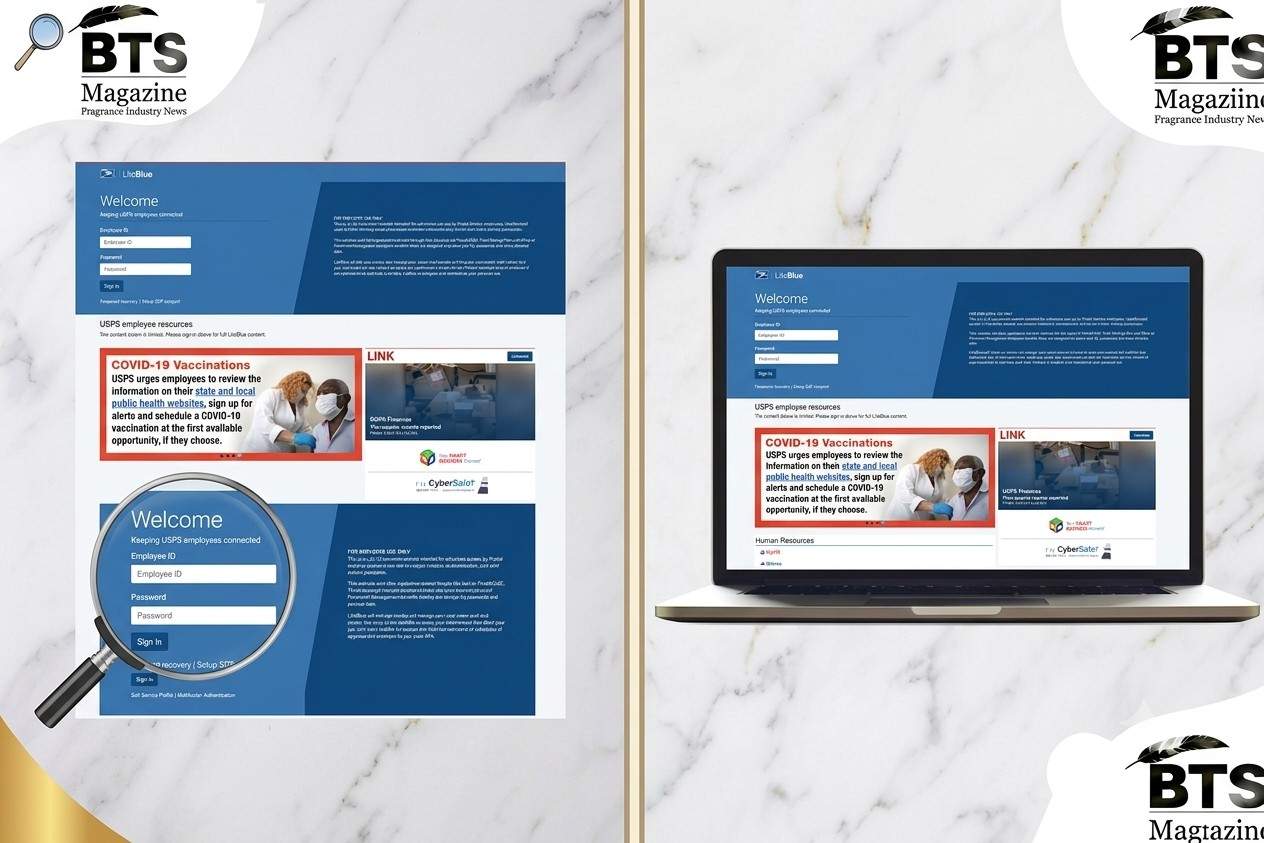
LiteBlue USPS is the online portal that keeps Postal Service employees connected to their jobs, benefits, and career details all in one place. If you work for USPS, this is the site you’ll return to again and again. And honestly, once you get the hang of it, it makes managing your work life a lot easier.
Here’s the thing: a lot of people find the login process a bit confusing at first, especially with the newer security rules. So let’s break it all down in plain language.
What Is LiteBlue USPS?
LiteBlue is the official employee website run by the United States Postal Service. It’s built strictly for Postal Service workers — not the general public.
Think of it as your personal dashboard. You can check your benefits, keep an eye on your career, and stay updated on policies that affect your job.
The site clearly states it’s a U.S. Government website meant for authorized use only. Unauthorized access can lead to serious legal trouble, so it’s really for employees and no one else.
Who Can Use the LiteBlue USPS Portal?
Only current USPS employees can log in. That includes career and non-career staff across the country.
To be honest, that exclusivity is the whole point. LiteBlue holds sensitive personal and work information, so USPS keeps the doors locked tight.
There’s also a section for retirees, so even after you leave active service, some resources stay available to you.
How to Log In to LiteBlue USPS
Logging in is straightforward once your account is set up. Here’s the basic flow.
Step-by-Step Login
- Go to the official site at liteblue.usps.gov.
- Enter your Employee ID and USPS password.
- Complete the multifactor authentication step.
- You’re in.
What’s interesting is that the sign-in page also links you to your Self-Service Profile and multifactor authentication settings, so you can manage security right from the start.
Finding Your Employee ID
Your Employee ID is an eight-digit number. You can find it on your earnings statement, usually near the top. Keep it handy because you’ll need it every time you log in.
MFA Is Now Required for LiteBlue USPS
This is a big one. USPS now requires multifactor authentication (MFA) for all employees to access LiteBlue and the Self-Service Profile.
Multifactor authentication just means you confirm your identity in two or more ways. Banks use it. Big companies use it. Now the Postal Service does too, and it’s there to protect you.
Setting Up Your MFA
USPS recommends registering at least two MFA methods. That way, if one fails, you’ve got a backup.
One tip worth repeating: whenever you can, avoid using SMS text codes as your main method. USPS considers SMS one of the least secure options. App-based authentication is a safer bet.
You can update your MFA preferences anytime through your Self-Service Profile on the liteblue usps portal.
Key Features of the LiteBlue USPS Portal
The portal packs in a lot of useful tools. Let’s walk through the main ones.
PostalEASE
PostalEASE lets you handle payroll and benefits tasks. Think allotments, direct deposit, and health benefit choices. It’s one of the most-used tools on the site.
Thrift Savings Plan (TSP)
You can reach your Thrift Savings Plan through LiteBlue too. This is your retirement savings account, and keeping tabs on it matters more than most people realize.
Career and Benefits Management
LiteBlue helps you monitor and manage your career path and benefits. You can review job-related info and stay on top of the perks that come with the role.
HR Tools and MyHR
The MyHR section is your hub for human resources activities. There’s even a “What’s Happening” page that gives you easy access to HR events, activities, and a calendar you can check by computer or mobile.
Informed Delivery
Informed Delivery is a neat feature that enhances the mail experience. It’s part of the workforce community resources you’ll spot on the portal.
The Eagle Magazine
You can also read The Eagle, the official USPS magazine. It’s a nice way to stay in the loop on company news and stories.
Staying Safe on LiteBlue USPS
Security deserves its own section because scams targeting postal workers are real. USPS has openly warned about phone scams where criminals pretend to be IT or Service Desk staff.
Here’s the rule to burn into your memory: USPS will never call, text, or email asking for your password, your MFA code, or telling you to log in through a link they send.
Protect Your Login Info
Never share your liteblue usps login details with anyone. Sharing them can lead to unauthorized changes to your account, like redirected paychecks.
If something feels off, report it right away. Send suspicious activity to CyberSafe@usps.gov. That inbox exists for exactly this reason.
Quick Security Habits
- Only log in through the official liteblue.usps.gov address.
- Use MFA methods stronger than text messages.
- Don’t click login links from unexpected messages.
- Change your password if you suspect anything.
Common LiteBlue USPS Login Issues and Fixes
Even a well-built portal has hiccups. Here are problems people run into and how to sort them out.
Forgotten Password
If you forget your password, you can reset it through the Self-Service Profile. You’ll verify your identity, then set a new one.
MFA Not Working
If your MFA code won’t go through, double-check the method you registered. Having a second method set up saves you here. If you’re still stuck, you may need to update your settings in your profile.
Locked Account
Too many wrong attempts can lock you out. Give it some time, then try again with the correct details. If it stays locked, reach out through official USPS support channels.
PIN Reset for Phone Transactions
For interactive voice response transactions, there’s a separate PIN. You can update it using the Self-Service PIN Reset application found under the Employee Apps section on LiteBlue.
A Bit of USPS Background Worth Knowing
To really appreciate the liteblue usps portal, it helps to know who’s behind it.
The United States Postal Service is an independent agency of the federal government. It was founded in 1971, replacing the older Post Office Department.
What’s interesting is the sheer size of the organization. USPS has around 640,000 employees, which makes it one of the largest civilian employers in the entire country.
So when you log in to LiteBlue, you’re using a system built to serve one of the biggest workforces in America. That scale is exactly why strong security and self-service tools matter so much.
Why the LiteBlue USPS Portal Matters for Employees
At the end of the day, LiteBlue puts control in your hands. You don’t have to chase down paperwork or wait on someone else to check your benefits.
It saves time. It keeps you informed. And it connects you to the policies shaping your daily work.
One reminder, though: LiteBlue is meant for personal use during your own time, not for doing Postal Service work outside your scheduled or approved hours. Keep that boundary in mind.
Frequently Asked Questions About LiteBlue USPS
1. What is the official LiteBlue USPS website?
The official site is liteblue.usps.gov. Always type it directly or use a trusted bookmark. Avoid links sent through random emails or texts.
2. Do I really need MFA to access LiteBlue?
Yes. USPS now requires multifactor authentication for all employees to reach LiteBlue and the Self-Service Profile. It’s not optional anymore.
3. What should I do if I get a suspicious message about my account?
Don’t share any details. Report it to CyberSafe@usps.gov. Remember, USPS will never ask for your password or MFA code by phone, text, or email.
4. Can retirees use LiteBlue USPS?
There are dedicated retiree resources linked through the portal. So even after active service, you can access certain tools and information.
5. How do I find my Employee ID for login?
Your eight-digit Employee ID appears on your earnings statement. Keep it saved somewhere safe since you’ll use it at every login.
Final Thoughts
LiteBlue USPS is more than just a login page. It’s the digital home base for hundreds of thousands of postal workers who rely on it to manage pay, benefits, and career details with ease.
Get your MFA set up, guard your login info, and use only the official site. Do those three things and you’ll have a smooth experience every time. If you’d like to read more about the organization behind it all, the United States Postal Service page offers a deep look at its history and role in American life.
Continue reading: Shirodhara: Benefits, Process, Uses, and What to Expect from This Ayurvedic Therapy