When a loose screw needs fixing, most people do not want to search through a toolbox for five different drivers. That is where a compact multi-bit tool can make life easier. The iFixit Narwhal 6-in-1 Driver is designed for everyday repairs, home projects, PC upgrades, appliances, and common fasteners.
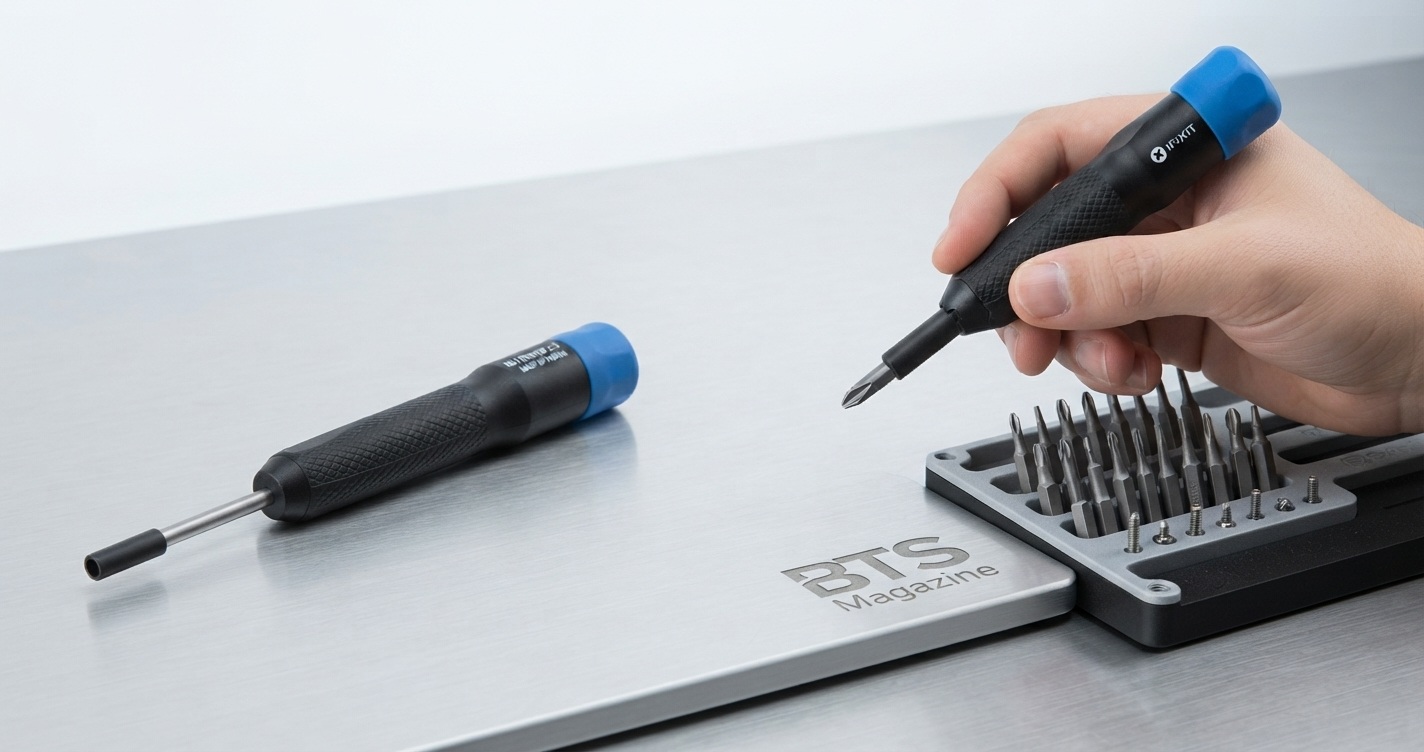
Unlike a basic screwdriver, the Narwhal combines six driver options into one compact tool. It also adds iFixit’s Swivel Grip Cap, which lets you spin quickly for speed or press the cap down for more torque.
In this guide, we will look at the iFixit Narwhal 6-in-1 Driver’s features, included bits, practical uses, setup, mistakes to avoid, and tips for getting better results.
What Is the iFixit Narwhal 6-in-1 Driver?
The iFixit Narwhal 6-in-1 Driver is a compact manual screwdriver designed to handle six common driver sizes. It includes two Phillips sizes, two flathead sizes, and two nut-driver sizes.
The tool uses two double-ended bits and a reversible driver shaft, allowing multiple fastener types to be handled without carrying a full screwdriver set. Its push-to-lock swivel cap is designed to provide additional torque when needed.
Included Driver Options
The Narwhal includes:
- Phillips #1
- Phillips #2
- Flathead 5.5 mm
- Flathead 7 mm
- 1/4-inch nut driver
- 5/16-inch nut driver
The included bits are stored using the driver shaft and double-ended bit system, giving the tool its six-in-one configuration.
If you want a basic explanation of what screwdrivers and their different designs do, the Wikipedia guide to screwdrivers is a useful reference.
Why Is the iFixit Narwhal 6-in-1 Driver Important?
The main advantage is convenience. Instead of keeping several full-size screwdrivers nearby, you can use one compact driver for many common jobs.
Imagine you are upgrading a desktop PC and need to remove several Phillips screws. A few minutes later, you need to tighten a small nut on another component. With a traditional screwdriver-only setup, you may need to change tools. The Narwhal is designed to reduce that tool switching.
It can be particularly useful for:
- Home maintenance
- PC upgrades
- Network equipment
- Appliances
- Furniture hardware
- General household repairs
- Common nuts and screws
iFixit specifically positions the Narwhal for home repair and projects involving common screws and fasteners.
Key Features and Benefits
1. Six Driver Functions in One Tool
The biggest selling point is the six-in-one design. You get three driver types with two sizes each.
That makes the Narwhal useful for everyday jobs where specialized electronics bits are not required.
2. Swivel Grip Cap
The Swivel Grip Cap is one of the tool’s most distinctive features.
For quick work, the cap can spin freely while you turn the driver. When a fastener needs more force, press and hold the cap while rotating the driver.
This gives you a combination of speed and torque without using a separate direction selector.
3. Dual-Ended Bits
The Narwhal uses two double-ended bits with a reversible shaft. This keeps the overall design compact while still providing six driver options.
A multi-bit approach also means fewer individual tools need to occupy your drawer.
4. Comfortable Grip
The handle uses a polymer core with a rubberized grip. The design is intended to provide a secure hold during everyday repair tasks.
A comfortable grip matters because poor hand positioning can make it harder to apply controlled pressure to a stubborn screw.
5. Compact Everyday Design
The Narwhal is built as an everyday driver rather than a large professional toolkit. Its purpose is to give users several common driver options without carrying a large case.
6. Lifetime Guarantee
iFixit lists the Narwhal with a lifetime guarantee and says its tools are backed by its quality guarantee and customer support.
How to Use the iFixit Narwhal 6-in-1 Driver
Using the Narwhal is straightforward.
Step 1: Identify the Fastener
Before inserting a bit, check the screw or nut carefully. Choose the correct size instead of forcing a nearly matching bit.
For example, a Phillips #1 should not be used simply because a Phillips #2 is not immediately available.
Step 2: Select the Correct Bit
Choose one of the six included options:
- Phillips #1
- Phillips #2
- Flathead 5.5 mm
- Flathead 7 mm
- 1/4-inch nut driver
- 5/16-inch nut driver
Step 3: Install the Bit
Use the reversible shaft and appropriate double-ended bit configuration. Make sure the selected driver is seated correctly before applying pressure.
Step 4: Start With Light Pressure
Place the driver straight onto the fastener. Apply steady downward pressure and begin turning slowly.
This helps prevent the bit from slipping out of the screw head.
Step 5: Use the Swivel Cap
For fast, repeated turning, let the swivel cap spin freely.
If the screw becomes difficult to turn, press and hold the cap while rotating the driver to take advantage of the added torque function.
Common Mistakes to Avoid
Even a good screwdriver can damage a screw if it is used incorrectly.
Using the Wrong Size
A loose-fitting bit can slip and damage the screw head. Always select the closest proper fit.
Applying Too Much Force
More force is not always better. If a screw refuses to move, stop and check whether you have the correct bit and whether the fastener is damaged.
Holding the Driver at an Angle
Try to keep the shaft aligned with the screw. Working at an angle can increase the chance of slipping.
Using the Tool for Jobs Beyond Its Design
The Narwhal is a manual driver for common fasteners. It should not be treated like a powered impact driver or used as a substitute for a specialized tool when a job requires one.
Ignoring the Fastener Type
The Narwhal’s six included options cover common Phillips, flathead, and nut-driver applications. It does not replace a large precision-bit collection for every type of electronics screw.
Expert Tips for Better Results
1. Match the bit before turning.
A few seconds spent checking the fastener can prevent stripped screws.
2. Keep the driver straight.
Good alignment improves control and reduces slipping.
3. Start slowly.
Especially with older screws, controlled pressure is better than suddenly applying maximum force.
4. Use the swivel feature strategically.
Use free spinning for speed and the push-to-lock function when you need additional torque.
5. Know when you need a larger kit.
For laptops, phones, game consoles, and other electronics containing specialty screws, a precision toolkit may be more appropriate. iFixit offers separate precision drivers and larger bit kits for these applications.
Is the iFixit Narwhal 6-in-1 Driver Worth It?
For someone who wants a compact everyday screwdriver for common screws and fasteners, the Narwhal makes a strong case.
Its biggest strengths are the six included driver options, compact design, rubberized grip, dual-ended bits, and Swivel Grip Cap.
However, it is important to understand its purpose. If your main goal is repairing smartphones, laptops, consoles, or other devices that use many specialty screw heads, a larger precision driver kit will offer much broader coverage.
For general home maintenance and common repair work, the Narwhal is much more focused.
iFixit Narwhal 6-in-1 Driver FAQs
What does the iFixit Narwhal 6-in-1 Driver include?
It includes Phillips #1 and #2, flathead 5.5 mm and 7 mm, plus 1/4-inch and 5/16-inch nut-driver options.
How does the Narwhal Swivel Grip Cap work?
The cap can spin freely for faster turning. When more torque is needed, press and hold the cap while rotating the driver.
Is the Narwhal good for PC repairs?
Yes, it can be useful for PCs and other equipment that use compatible Phillips, flathead, or nut fasteners. However, specialty screws may require additional precision bits.
Is it suitable for electronics repair?
It can handle electronics projects that use its included driver types, but it is not a complete electronics toolkit. Devices with Torx, pentalobe, tri-point, or other specialty screws require compatible bits.
How many bits are included?
The six driver functions are provided through two double-ended bits and a reversible driver shaft.
Does iFixit offer a guarantee?
Yes. iFixit lists the Narwhal with a lifetime guarantee.
Where can I learn more about the Narwhal?
The best place to check the latest specifications, availability, and included bits is the official iFixit Narwhal 6-in-1 Driver page.
Conclusion
The iFixit Narwhal 6-in-1 Driver is designed for people who want one compact tool for several common repair tasks. Its six driver options cover Phillips, flathead, and nut-driver applications, while the Swivel Grip Cap adds a useful combination of speed and torque.
It is not meant to replace a complete precision toolkit, but that is not its goal. For home repairs, PC work, appliances, network equipment, and everyday fasteners, it can be a practical addition to a toolbox.
If you regularly switch between different common screwdriver types, the Narwhal’s compact six-in-one design may be exactly the kind of tool worth keeping within reach.
Read also: Why Is the LA Times Sunday Crossword So Hard to Finish?