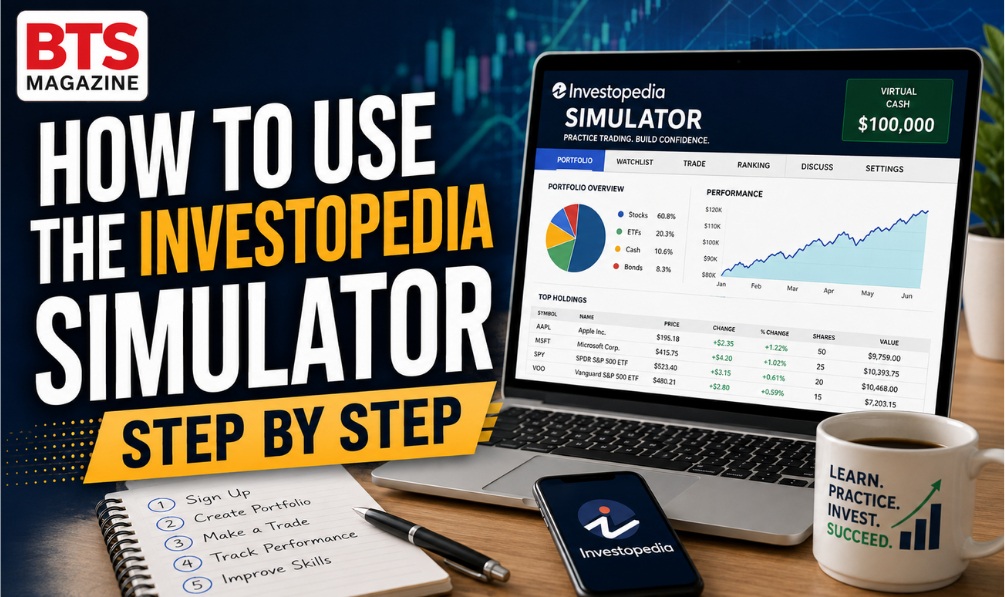
Ever wanted to trade stocks without risking a single dollar? That’s exactly what the Investopedia simulator lets you do. It’s a free stock market simulator where you buy and sell with fake money while learning real skills.
In this guide, you’ll learn what the simulator is, why it matters, and how to set it up step by step. Whether you’re new to investing or just want a safe place to practice, this walkthrough will help you get started with confidence.
What is the Investopedia Simulator?
The Investopedia simulator is a free virtual trading tool that lets you buy and sell stocks using pretend money. It mirrors real market prices, so you can practice investing without any financial risk. Beginners use it to learn how trading works before putting real cash on the line.
Think of it as a trading game built on real data. You get a starting balance of virtual cash, place trades, and watch your demo portfolio grow or shrink based on actual market movements. This kind of paper trading is one of the safest ways to build skills.
The idea behind it connects to a bigger investing habit called paper trading, where people test strategies without spending real money.
Why is the Investopedia Simulator Important?
The Investopedia simulator matters because it removes fear from learning. New investors often lose money by making rushed, emotional choices. With virtual trading, you can make those beginner mistakes safely and learn from them without losing your savings.
Here’s why it’s so valuable:
- Zero risk: You practice with fake money, not real cash.
- Real market data: Prices update like the actual stock market.
- Confidence building: You learn how orders and portfolios work.
- Skill testing: Try new strategies before using them for real.
For anyone starting beginner investing, this practice stage can prevent costly errors later.
Key Features and Benefits
The simulator packs several helpful tools into one free platform. These features make investing practice simple and realistic.
- Free virtual cash to start trading right away
- Live stock prices that follow the real market
- Portfolio tracking to watch your gains and losses
- Trade history so you can review your decisions
- Educational articles linked throughout the site
- Contests and games to make learning fun
The biggest benefit? You learn by doing. Reading about stocks is helpful, but placing trades in a stock market simulator teaches lessons that stick.
Step-by-Step Guide
Ready to start? Follow these simple steps to set up and use the Investopedia simulator.
Step 1: Create a Free Account
- Go to the Investopedia website.
- Find the simulator section.
- Sign up using your email or a social login.
- Confirm your account if asked.
Signing up is completely free, and you don’t need to enter any payment details.
Step 2: Explore Your Dashboard
Once you’re in, take a look around. You’ll see your virtual cash balance, portfolio value, and menus for trading. Spend a few minutes clicking through so you feel comfortable.
Step 3: Search for a Stock
Use the search bar to look up a company you know, like a favorite brand. You’ll see its current price, chart, and basic details. This is a great time to explore before buying.
Step 4: Place Your First Trade
- Choose the stock you want.
- Click Trade or Buy.
- Enter how many shares you want.
- Pick an order type (start with a simple market order).
- Confirm the trade.
Congrats! You just made your first paper trading move.
Step 5: Track Your Demo Portfolio
Check your portfolio to see how your picks perform. Watch how prices change during market hours. This helps you understand how gains and losses really happen.
Step 6: Learn and Adjust
Review your trade history often. Ask yourself what worked and what didn’t. Then try new strategies. The whole point of a demo portfolio is to learn without pressure.
A quick real-life example: Maya, a college student, felt nervous about investing. She started with the simulator and “bought” shares of a phone company. When the price dropped, she panicked and “sold” too early. Because it was fake money, she learned a big lesson for free: don’t sell in a panic. Months later, that lesson saved her real savings.
Common Mistakes to Avoid
Even in a trading game, beginners slip up. Watch out for these common errors:
- Trading too often: Constant buying and selling teaches bad habits.
- Ignoring research: Don’t pick stocks blindly. Read about the company first.
- Betting it all: Avoid putting all your virtual cash into one stock.
- Skipping the lessons: The simulator connects to helpful articles. Use them.
- Treating it as a game only: Take it seriously so real trading feels natural.
Avoiding these mistakes now makes your future beginner investing journey smoother.
Expert Tips and Pro Tips
Want to get the most from your virtual trading practice? Try these smart tips.
- Set a goal: Decide what you want to learn, like how order types work.
- Diversify: Spread your virtual money across different stocks.
- Trade like it’s real: Only “spend” amounts you’d actually risk.
- Keep a journal: Write down why you made each trade.
- Test one strategy at a time: This helps you see what truly works.
- Review weekly: Check your demo portfolio and note lessons learned.
Pro tip: Treat every mistake as a free lesson. That’s the real magic of a stock market simulator.
FAQs
Is the Investopedia simulator free?
Yes. The Investopedia simulator is completely free to use. You sign up with an email, get virtual cash, and start trading right away. There’s no cost and no need to enter payment details for basic paper trading practice.
Does the simulator use real money?
No. You trade with virtual cash only. Your gains and losses are pretend, so you never risk real money. It’s a safe way to practice beginner investing with real market prices.
Can beginners use the Investopedia simulator?
Absolutely. It’s built for beginners. The simple layout, free virtual cash, and linked lessons make it easy to learn how trading works without any pressure or risk.
How long should I use the simulator before real trading?
There’s no fixed rule. Many people practice for a few weeks or months until they feel confident placing trades and understanding their demo portfolio results.
Does the simulator use real stock prices?
Yes. The stock market simulator uses real market data, so prices move much like the actual stock market. This makes your investing practice realistic and useful.
Can I lose in the simulator?
Yes, but only virtual money. Losing in the trading game is a good thing. It teaches you lessons for free before you ever invest real cash.
Conclusion
The Investopedia simulator is one of the best free tools for learning how to invest. It gives you a safe space to practice trading, test strategies, and build confidence, all without risking a single real dollar.
Start small, learn from your trades, and take your time. Just like Maya, you’ll make mistakes, but each one makes you a smarter investor. Ready to practice? Set up your free account today and start growing your demo portfolio.
Read also: Philippines Document Alteration Laws: Penalties & Legal Risks