

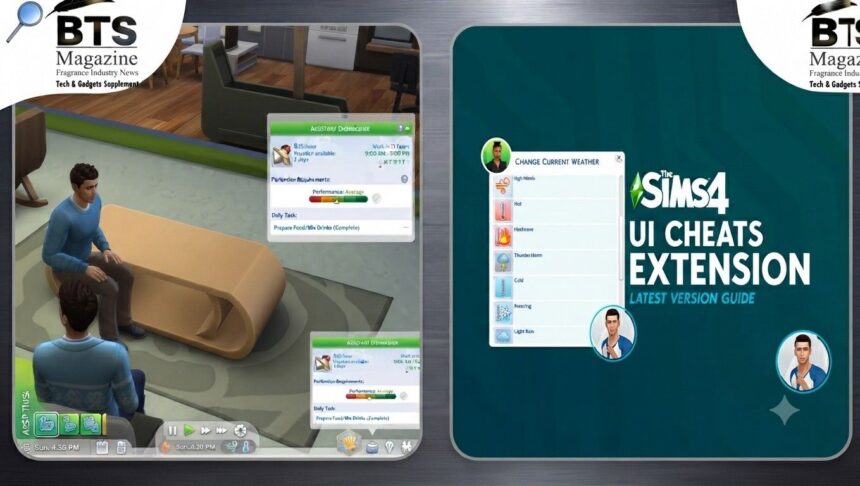
UI cheats Sims 4 players talk about usually fall into two camps: the built-in cheat codes you type into the game console, and the popular UI Cheats Extension mod that lets you skip typing altogether. Both are super handy. And honestly, once you start using them, it’s hard to play without them.
- What Are UI Cheats in Sims 4?
- What Is the UI Cheats Extension Mod?
- How to Open the Cheat Console in The Sims 4
- How to Enable Testingcheats
- Most Useful UI Cheats Sims 4 Players Love
- Money Cheats (Kaching, Rosebud, Motherlode)
- Need/Mood Cheats via Shift-Click
- Career and Skill Cheats
- Build Mode Cheats
- What Does the UI Cheats Extension Mod Actually Do?
- Is the UI Cheats Extension Safe to Use?
- How to Install the UI Cheats Extension Mod
- Tips for Using UI Cheats Without Breaking Your Game
- Final Thoughts
This guide breaks down everything in plain language. No confusing tech talk, just clear steps you can actually follow.
Let’s get into it.
What Are UI Cheats in Sims 4?
Here’s the thing. The Sims 4 has always had cheats baked right into the game. You bring up a little text box, type a command, and something changes instantly.
These cheats can give you money, max out skills, fill your Sim’s needs, or unlock hidden items. They’re a normal part of the game and won’t corrupt your save.
The Sims 4 was made by Maxis and published by Electronic Arts. It first launched on September 2, 2014, for Windows. Since then it’s grown into a massive game, going free-to-play in October 2022 and reaching over 85 million players worldwide by 2024.
So yeah, a lot of people are searching for ways to cheat. You’re not alone.
What Is the UI Cheats Extension Mod?
The UI Cheats Extension is a third-party mod created by a modder known as weerbesu. It’s one of the most downloaded mods in the whole Sims 4 community.
Instead of typing commands, this mod lets you click directly on parts of the game’s interface. Want more money? Click the money counter. Want to fill a need? Click the need bar.
To be honest, it feels like a cheat menu the game should have had from the start.
How to Open the Cheat Console in The Sims 4
Before you touch any built-in cheats, you need the cheat console open. This is the little box where you type commands.
It’s quick to open, and the method depends on your platform.
PC/Mac Keyboard Shortcut
On PC or Mac, press Ctrl + Shift + C at the same time. A text bar pops up at the top of your screen.
Type your cheat, hit Enter, and you’re done. Simple.
Console (PS4/Xbox One)
Playing on console? The Sims 4 cheat console works there too.
Press all four shoulder triggers at once. That’s L1, L2, R1, and R2 on PS4, or the equivalent bumpers and triggers on Xbox One. The same cheat box appears.
How to Enable Testingcheats
Some cheats need one extra step first. You have to turn on testing cheats.
Open the console and type testingcheats true, then press Enter. This unlocks the shift-click cheats and a bunch of other useful commands.
What’s interesting is that older versions of the game made you re-enable this every time you loaded a new lot. That’s no longer needed, which is a nice quality-of-life change.
Most Useful UI Cheats Sims 4 Players Love
There are dozens of cheats out there. But some get used way more than others. These are the ones most people reach for.
Money Cheats (Kaching, Rosebud, Motherlode)
Money is usually the first thing folks cheat for. Can’t blame them.
Type kaching or rosebud to get §1,000. Want more? The famous motherlode cheat gives you §50,000 in one go.
Need an exact amount? Turn on testingcheats, then type money followed by the number you want. This sets your household funds to that value.
Need/Mood Cheats via Shift-Click
This is where things get fun. With testingcheats on, hold Shift and click on your Sim.
You’ll see options like “Cheat Need.” Pick “Make Happy” and every need fills instantly. You can also disable need decay so hunger, energy, and hygiene stop dropping.
These shift-click cheats are exactly what the UI Cheats Extension mod makes even faster.
Career and Skill Cheats
Want your Sim to climb the career ladder without the grind? Use careers.promote followed by the career name.
For skills, type stats.set_skill_level plus the skill name and a level number. So you could max out Cooking, Painting, or Guitar in seconds.
There are a lot of skill names to choose from, so pick whatever fits your Sim’s story.
Build Mode Cheats
Building a dream home? A couple of cheats make life way easier.
bb.moveobjects lets you place items anywhere, ignoring the game’s normal placement rules. And cas.fulleditmode unlocks full editing in Create a Sim when you shift-click a Sim and choose “Modify in CAS.”
Builders swear by these two. Once you use them, regular Build Mode feels limited.
What Does the UI Cheats Extension Mod Actually Do?
Now back to the star of the show. The UI Cheats Extension takes all that typing and turns it into clicking.
Here’s what you can click on directly:
- The money counter to add or set funds
- Need bars to fill or lower them
- Skill bars to raise or drop skill levels
- Relationship bars to make Sims friends or enemies fast
You just left-click or right-click on the bar, and the value changes. No console, no commands, no spelling mistakes.
For anyone who plays a lot, this saves a ton of time.
Is the UI Cheats Extension Safe to Use?
This is a fair question. Nobody wants to break their save.
Generally speaking, the UI Cheats Extension is considered safe and reliable by the Sims 4 community. It’s been around for years and is widely trusted.
That said, mods can break when the game gets a big update. So after every patch, it’s smart to check that weerbesu has updated the mod before you play.
I can’t confirm the exact current version number here, since mod versions change often. Always grab the latest one from the official source to stay safe.
How to Install the UI Cheats Extension Mod
Installing Sims 4 mods is easier than most people expect. Here’s the basic process.
First, make sure mods and custom content are enabled. Go to Game Options, then Other, and check the boxes for script mods and custom content. Restart the game after.
Next, download the UI Cheats Extension from weerbesu’s official page. It usually comes as a zip file.
Unzip it, then drop the files into your Mods folder. On most setups that’s Documents > Electronic Arts > The Sims 4 > Mods. Since this is a script mod, keep the files no more than one folder deep.
Launch the game, and you’re ready to click your way to riches.
Tips for Using UI Cheats Without Breaking Your Game
A few small habits keep things smooth. These matter whether you’re using built-in cheats or the mod.
Back up your save before big changes. It only takes a second and can save you real heartache later.
Don’t stack too many script mods at once, since conflicts can cause bugs. And after any game update, remove or update your mods before loading a save.
Also, keep the difference clear in your head. The UI Cheats Extension is a mod. The console cheats like testingcheats true, motherlode, and bb.moveobjects are built right into the game and don’t need any download.
One last tip. If something acts weird, disable mods first to see if the game itself is fine. That’s the quickest way to find the culprit.
Final Thoughts
At the end of the day, ui cheats Sims 4 tools exist to make the game more fun for you. Some players love the challenge of earning everything. Others just want to build, decorate, and tell stories without the stress.
Both the console cheats and the UI Cheats Extension mod give you that freedom. Use the built-in codes when you want quick fixes, and grab the mod when you’d rather click than type.
Play the way that makes you happy. If you want more background on the game’s history and features, you can read more about The Sims 4 on Wikipedia. And with these ui cheats Sims 4 tricks in your pocket, you’re all set to enjoy your virtual world your way.
Continue reading: Robokeh: The Freelance Illustrator Redefining Male Aesthetic Digital Art