

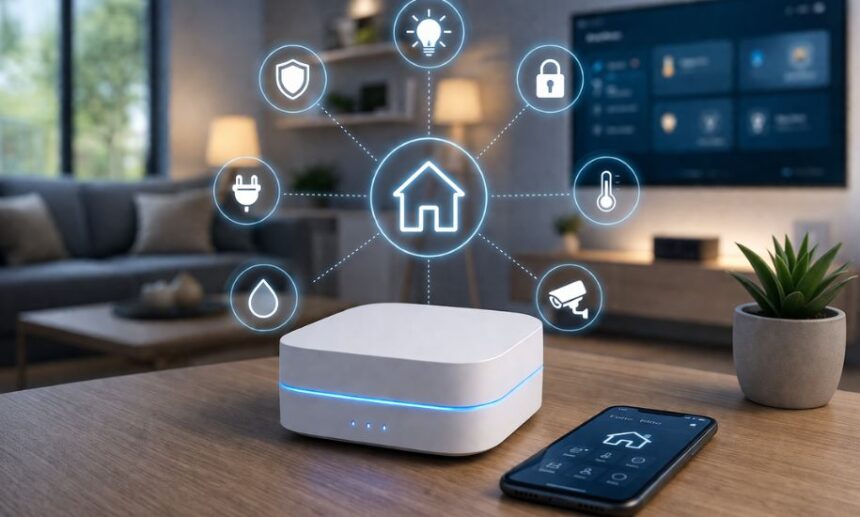
If you are just getting started with smart home tech, you have probably realized something pretty quickly. It can be incredibly confusing.
- What Makes Smart Homes So Complicated?
- Enter the Home Center Lite
- Fibaro: The Brand Behind the Box
- Understanding Z-Wave Technology (And Why It Matters)
- Key Features of the Home Center Lite
- Setting Up Your System
- Home Center Lite vs. Home Center 2
- Real-World Automation Ideas
- The Good, The Bad, and The Honest Truth
- Growing Your Smart Home Slowly
- Frequently Asked Questions
You buy a smart bulb here, a smart plug there, and suddenly you have ten different apps on your phone just to turn off the lights.
Let’s be real, nobody wants to open three apps just to go to bed.
That is exactly why smart hubs exist. They pull all that chaos together into one neat package.
Today, we are talking about a very specific piece of hardware. Fibaro built it to solve this exact headache.
It is called the home center lite.
If you are trying to figure out if this little white box is the right fit for your house, grab a coffee. Let’s break it all down.
What Makes Smart Homes So Complicated?
Before we talk about the hardware itself, we need to talk about the problem it solves.
When you buy cheap smart devices online, they usually run on Wi-Fi.
At first, this seems great. You connect it to your router, and you are good to go.
Here’s the thing: your standard home router was not designed to handle fifty different smart plugs, lightbulbs, and motion sensors.
Eventually, your network gets clogged up. Your Netflix starts buffering, and your smart lights take ten seconds to respond.
This is where a dedicated smart hub saves the day.
Enter the Home Center Lite
Fibaro designed the home center lite to fix that network congestion problem.
Instead of connecting every single smart device to your Wi-Fi, you connect them to this hub.
The hub acts like a traffic cop. It manages all the signals and routines without bothering your main internet router.
It is incredibly small, measuring just about 90mm by 90mm. You can easily hide it behind a television or stick it inside a media cabinet.
Despite being tiny, it packs a serious punch when it comes to organizing your daily routines.
Why You Need a Central Brain
Think of this device as the brain of your house.
Without a central brain, your motion sensor cannot talk to your living room lights. They speak different languages.
This controller translates for them. It allows you to create rules so your devices can actually work as a team.
For example, when you unlock the front door, the brain tells the hallway lights to switch on automatically.
Fibaro: The Brand Behind the Box
If you are new to the scene, you might not be familiar with Fibaro.
In the automation community, they are a huge deal. They build premium, sleek sensors and controllers.
They started as a European brand but quickly took over the global market because their hardware looks amazing and works reliably.
The Ecosystem You Are Buying Into
When you buy a hub, you are buying into an ecosystem.
Fibaro’s ecosystem is known for being incredibly stable.
You do not have to worry about the system crashing in the middle of the night and turning all your lights on randomly.
Why They Made a “Lite” Version
A few years ago, Fibaro released a massive, powerful hub called the Home Center 2.
It was an absolute beast, but it was also very expensive.
Most people just wanted to automate a few lights and locks. They didn’t need a supercomputer.
To be honest, the average user was completely overwhelmed by it.
So, Fibaro stripped out the crazy expensive processing power and created the home center lite to make things affordable.
Understanding Z-Wave Technology (And Why It Matters)
You cannot talk about this hub without talking about Z-Wave.
Z-Wave is the wireless language that this controller uses to talk to your devices.
It is a completely different frequency than your home Wi-Fi.
Wi-Fi vs. Z-Wave: A Quick Breakdown
Because Z-Wave operates on a lower frequency, it travels through walls much better than Wi-Fi.
It also doesn’t interfere with your laptops or smartphones.
Your smart home gets its own private invisible highway for data.
The Magic of Mesh Networks
What’s interesting is how Z-Wave devices talk to each other. They create a mesh network.
Every time you plug in a Z-Wave smart plug, it acts as a signal repeater.
If a device in the backyard is too far from the home center lite, the signal just hops through the smart plugs in the kitchen to get there.
The more devices you add, the stronger your network actually gets.
Key Features of the Home Center Lite
So, what exactly do you get when you unbox this thing?
For starters, you get the ability to control up to 230 different devices.
Unless you live in a massive mansion, you will probably never hit that limit.
You also get access to Fibaro’s highly polished smartphone app to control everything from your couch.
Hardware Specs That Matter
Inside the plastic casing, it runs on a Cortex A8 processor.
It also has 128MB of RAM.
If you compare that to a modern iPhone, it sounds laughably small.
But Z-Wave commands are tiny. Sending a “Turn On” signal takes almost zero processing power.
The hardware is perfectly matched to the software it runs.
The Visual Interface
Fibaro completely nailed the software experience for beginners.
You do not need to know a single line of computer code to use this system.
They use a visual, block-based system for building automations.
You literally just drag a block that says “IF Motion Detected” and connect it to a block that says “THEN Turn On Light.”
It is as easy as playing with digital building blocks.
Setting Up Your System
People often get intimidated by smart home setups, but this one is incredibly straightforward.
You do not need to hire a professional installer to get things running.
If you can plug in a toaster, you can probably handle this installation.
Plugging It In
The first thing you need to know is that it requires a wired internet connection.
There is no Wi-Fi chip inside for the main network connection.
You have to plug it directly into your router using an Ethernet cable. Then plug it into the wall for power.
Adding Your First Smart Device
Once it is online, you log into the web interface.
To add a new light switch, you put the home center lite into “inclusion mode.”
Then you press a button on your light switch three times.
The hub finds it, syncs it, and boom—it appears on your dashboard ready to use.
Home Center Lite vs. Home Center 2
If you are shopping around, you will definitely see comparisons between the lite version and the older Home Center 2.
The Home Center 2 has a heavy aluminum casing and much faster internal guts.
The biggest difference, however, is the programming language.
The Heavyweight Battle
The larger hub supports a coding language called LUA.
LUA allows super advanced users to write custom scripts to force incompatible devices to work together.
The home center lite does not support LUA. It only uses the visual block builder.
Who Should Buy Which?
If you are a hardcore computer programmer who wants to spend weekends writing code, skip the lite version.
But if you are a normal person who just wants their coffee maker to turn on at 7 AM, you don’t need LUA.
Save your money. The lite version will do everything you need.
Real-World Automation Ideas
Let’s step away from the tech specs for a minute.
How does this actually change your daily life?
Having a connected home is about removing tiny daily annoyances.
Security and Lighting
Imagine leaving for vacation.
You can set up a scene on your home center lite that randomly turns lights on and off in the evening.
To anyone watching the street, it looks exactly like someone is home watching TV.
You can also link a Z-Wave door sensor to a siren. If the door opens while you are away, your phone gets an instant alert.
Saving Money on Your Power Bill
Smart homes are not just cool; they can actually pay for themselves over time.
You can track your energy usage right in the Fibaro dashboard.
If you realize your kids keep leaving the basement lights on all day, you can fix it.
Just set a rule: if no motion is detected for 30 minutes, shut off the power.
The Good, The Bad, and The Honest Truth
No piece of technology is perfect.
Before you drop your hard-earned cash on a system, you need to know the drawbacks.
Here is the honest breakdown of what works and what doesn’t.
Where It Succeeds
The stability is unmatched. Once you set up your network, it just runs.
You do not have to reboot it constantly like some cheaper hubs on the market.
The local control is also a massive win.
If your internet provider goes down during a storm, your home center lite still works. Your light switches will still function normally because Z-Wave doesn’t need the cloud.
The Annoying Quirks
The lack of Wi-Fi is definitely frustrating.
Because it has to be hardwired to your router, you cannot just place it perfectly in the middle of your house.
You are forced to keep it wherever your router lives, which might be a dusty basement corner.
Also, relying entirely on Z-Wave means you cannot easily mix and match with cheaper Wi-Fi devices from Amazon.
Growing Your Smart Home Slowly
The best way to build a smart home is to take it one room at a time.
Start with the home center lite and maybe two light switches.
Get used to how the app works. Play around with the automation blocks.
Next month, maybe add a smart lock to the front door.
Because this system supports hundreds of devices, it can easily grow alongside your needs over the next decade.
Frequently Asked Questions
Does the home center lite require a paid monthly subscription?
No, not at all. You buy the hardware once, and the software is free forever. There are no hidden cloud fees just to turn on your lights.
Can I control it with my voice?
Yes. Even though it doesn’t have a built-in microphone, you can easily link it to Amazon Alexa or Google Assistant. Once linked, you can just yell at your smart speaker to dim the lights.
Will my automations work if my internet goes down?
Yes. Because it uses Z-Wave, all the processing happens locally on the box itself. If your internet drops, your motion sensors will still trigger your lights. You just won’t be able to control things from your phone if you are away from the house.
Is it hard to install Z-Wave light switches?
The hub itself is just plug-and-play. However, installing actual smart light switches requires dealing with your home’s electrical wiring. If you aren’t comfortable turning off breakers and connecting wires, you should probably hire a local electrician to do the heavy lifting for you.
Can I use this with Apple HomeKit?
Natively, no. Fibaro built this primarily for their own ecosystem. However, there are workaround bridges you can run on a Raspberry Pi to force it into HomeKit, but it takes some serious technical patience.
Continue reading: tlc technologies nova advisory 2025