

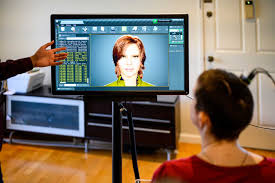
Anyone who used Windows Vista or Windows 7 back in the late 2000s probably remembers her.
She was the built-in Microsoft default text-to-speech Anna AI Voice Computer and she completely changed how we interacted with operating systems.
To be honest, most of us just used her to make our computers say funny things when we were bored.
But for millions of users, she was a massive leap forward for desktop accessibility.
Here’s the thing about the anna ai voice computer: she actually made text-to-speech technology sound significantly more natural.
Before we jump into all the geeky tech details, let’s look at a quick profile of this nostalgic software icon.
| Feature | Details |
|---|---|
| Name | Microsoft Anna |
| Developer | Microsoft Corporation |
| First Appeared | Windows Vista (2006/2007) |
| Replaced | Microsoft Sam (Windows XP) |
| Successors | Microsoft David, Zira, Hazel |
| Primary Job | Microsoft Narrator / Screen Reading |
Microsoft’s Classic Voice Explained
Text-to-speech has come a really long way since the choppy, weirdly robotic voices of the 1990s.
Back in those days, computers sounded exactly like what you’d expect: machines trying awkwardly to mimic human words.
What’s interesting is just how much effort software engineers poured into fixing that specific problem.
They wanted computers to sound warmer and way more approachable.
What is she exactly?
Basically, the anna ai voice computer was the default English voice that shipped with Windows Vista and Windows 7.
She lived right inside the Windows Narrator tool.
Whenever a visually impaired user needed to navigate their screen, she read the menus, text, and buttons out loud.
Looking Back at Microsoft Sam
To really get why this voice was such a big deal, we have to look at her famous predecessor.
If you grew up messing around on Windows XP, you definitely remember Microsoft Sam.
The Windows XP days
Sam was iconic. He was everywhere.
But let’s be real—he sounded incredibly robotic and was sometimes really hard to understand.
When Microsoft started building Windows Vista, they knew an audio upgrade was long overdue.
Why the upgrade was necessary
They needed a voice that wouldn’t tire out users who actually relied on it for hours on end.
Listening to a harsh, buzzing voice read long emails gets super exhausting after about ten minutes.
The replacement needed to sound smoother, softer, and much more human.
How Windows Vista Changed Things
Vista brought a massive visual overhaul to PCs with all those transparent windows and shiny graphics.
But the audio got a serious, much-needed upgrade too.
Adding the anna ai voice computer into the mix was a huge part of making the whole operating system feel modern.
It honestly felt like your PC was finally capable of holding a somewhat normal conversation.
A softer sound
Instead of the staccato buzzing of the past, she had a smooth, feminine tone.
She still sounded like a computer, sure, but a friendly one.
Behind the Tech
There was a lot of really neat code running behind the scenes to make this work.
Microsoft didn’t just record a bunch of random words and stitch them together with digital tape.
Understanding SAPI 5
Anna was built on something called the Speech API (SAPI) version 5.3.
This framework basically let software developers easily plug speech into their own third-party apps.
Processing speed and pauses
Because of SAPI 5, any developer building software for Windows could call on the anna ai voice computer to read text aloud in their game or tool.
It processed speech much faster than old tech.
It also handled commas, periods, and natural conversational pauses way better.
The US English Restriction
One verified fact about Anna is that she was specifically made for United States English.
If you bought a version of Windows in the UK or France, you got a completely different default voice.
But for US folks, she became the unmistakable sound of Windows accessibility.
Why Accessibility Needed This
Accessibility in tech wasn’t always a priority.
For a long time, if you needed a screen reader, you had to buy a really expensive third-party add-on.
Screen readers of the past
By bundling a highly capable voice directly into the operating system, Microsoft made things easier for everyone.
You didn’t have to spend a fortune just to hear what was on your monitor.
A built-in lifeline
For visually impaired users, the anna ai voice computer wasn’t just a fun gimmick.
It was a daily lifeline that made independent computer use possible.
She read error messages, guided people through messy settings, and made browsing the web functional.
Her clearer pronunciation meant fewer mistakes and way less user frustration.
The Legacy She Left Behind
Tech moves insanely fast, and operating systems constantly change.
While she was a massive step up from Sam, she eventually started showing her age too.
Replaced by David and Zira
By the time Windows 8 launched around 2012, Microsoft completely refreshed its voice lineup.
They wanted options that sounded even more fluid and natural.
Nostalgia in modern internet culture
They brought in Microsoft David, Zira, and Hazel, which officially retired Anna.
These newer voices used much more advanced processing to mimic how humans actually talk.
Still, for anyone who used Windows 7 heavily, Anna remains a huge piece of nostalgia.
Keeping the Voice Alive Today
You might think an old retired Windows voice would just disappear into the digital void.
But internet culture has a funny habit of keeping weird old tech alive forever.
Memes and content creators
Today, a lot of YouTube creators and Twitch streamers still use the anna ai voice computer for comedic effect.
Because her tone is instantly recognizable to a whole generation, she pops up constantly in meme videos and game mods.
There are even online generators where you can type in text and hear her exact audio profile read it back.
Continue reading: Deep Autumn Celebrities: Your Guide to the Dark and Warm Palette