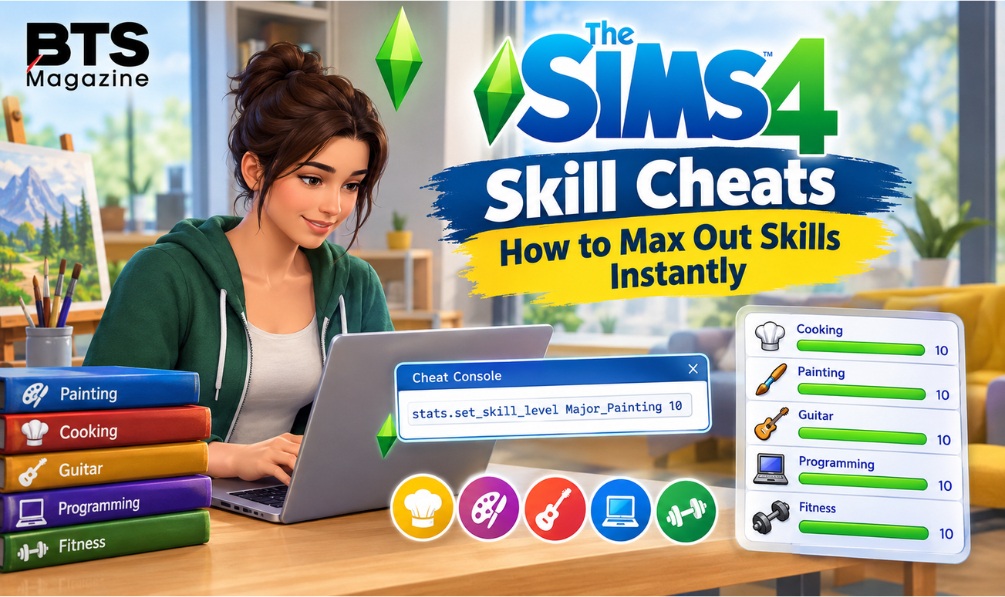
Have you ever wanted your Sim to become a master chef, a famous musician, or a top-level painter without spending hours practicing? Sims 4 Skill Cheats can help you reach those goals much faster. Instead of repeating the same activities to increase a skill, you can use a simple console command to set your Sim’s skill level.
Whether you are building a successful career, completing an aspiration, or creating a skilled household, these cheats can make The Sims 4 more enjoyable. This guide explains how to activate cheats, use skill commands, choose the right levels, and fix common problems.
What Are Sims 4 Skill Cheats?
Sims 4 Skill Cheats are special console commands that let players change a Sim’s skill level without following the normal learning process. For example, you can increase Cooking, Painting, Programming, or Guitar to level 10 by entering the correct command.
Most standard adult and teen skill cheats follow this format:
stats.set_skill_level SkillName Level
Replace SkillName with the correct skill identifier and Level with the desired number. Many regular skills have a maximum level of 10, while some skills have different limits.
These commands are useful when you want to test gameplay features, complete challenges, or create a Sim who already has expert abilities.
Why Are Sims 4 Skill Cheats Important?
Learning a skill naturally can be fun, but it also takes time. Your Sim may need to practice an instrument, read books, prepare meals, or use a computer repeatedly before reaching a high level.
Skill cheats offer a shortcut when you want to focus on other parts of the game.
Here are some common reasons players use them:
- Save time: Skip hours of repetitive practice.
- Help your Sim qualify for promotions and complete career-related tasks by boosting the required skills.
- Complete aspirations: Reach skill milestones more quickly.
- Explore gameplay: Test activities that require advanced skills.
- Create stories: Build a professional chef, talented artist, or experienced programmer from the beginning.
- Experiment freely: Try different careers and lifestyles without starting from zero.
For example, imagine that your Sim wants to become a successful painter but you would rather spend your gaming session decorating a home and selling artwork. A Painting cheat can help you reach that stage immediately.
Remember that skill cheats do not automatically complete every career objective, aspiration, or other requirement. Some tasks must still be completed separately.
Key Features and Benefits of Sims 4 Skill Cheats
1. Increase Skills to Their Maximum Level
Many common skills use a level range from 1 to 10. Entering level 10 in the appropriate command can give your Sim the maximum level for that skill.
2. Choose a Specific Skill Level
You do not always need to max out a skill. If you want your Sim to be a beginner or an intermediate learner, enter a lower level instead.
For example, replace the final number in a valid command with 3 or 5 to set the desired level.
3. Support Different Play Styles
These cheats are useful for builders, storytellers, career-focused players, and people who enjoy experimenting with different features. They let you spend more time on the parts of the game you enjoy most.
4. Work Alongside Regular Gameplay
Using a skill cheat does not mean you must stop playing normally. You can increase one skill and continue developing other skills through everyday activities.
How to Use Sims 4 Skill Cheats Step by Step
Follow these instructions to enter a skill cheat correctly.
Step 1: Open the Cheat Console
The key combination depends on your platform:
- PC: Press Ctrl + Shift + C.
- Mac: Press Command + Shift + C.
- PlayStation: Press and hold all four shoulder buttons together.
- Xbox: Press and hold all four shoulder buttons together.
A text box should appear on the screen.
Step 2: Enable Cheats
On PC or Mac, type:
testingcheats true
Then press Enter. On console, enter the command in the cheat box and confirm it.
If the game displays a message confirming that cheats are enabled, continue to the next step.
Important: Enabling cheats on PlayStation or Xbox can disable trophies or achievements for the affected save, depending on the game version and platform. Consider saving a separate copy before proceeding.
Step 3: Enter the Skill Command
Use this general format:
stats.set_skill_level SkillName Level
For example, the following command sets the Cooking skill to level 10 for a Sim who uses the standard adult Cooking skill:
stats.set_skill_level Major_HomestyleCooking 10
Press Enter to apply the command. Make sure the correct Sim is selected before entering the cheat.
Step 4: Check the Result
Open your Sim’s skills panel and look for the skill you changed. The displayed level should reflect the command if the skill identifier, level, and Sim are correct.
If nothing changes, check the spelling, confirm that cheats are enabled, and make sure the skill belongs to the selected Sim.
Popular Sims 4 Skill Cheats List
The table below includes commonly used skill identifiers for standard skills. Enter the appropriate command in the cheat console, replacing 10 with another valid level when needed.
| Skill | Cheat command for level 10 |
| Cooking | stats.set_skill_level Major_HomestyleCooking 10 |
| Gourmet Cooking | stats.set_skill_level Major_GourmetCooking 10 |
| Baking | stats.set_skill_level Major_Baking 10 |
| Painting | stats.set_skill_level Major_Painting 10 |
| Writing | stats.set_skill_level Major_Writing 10 |
| Guitar | stats.set_skill_level Major_Guitar 10 |
| Piano | stats.set_skill_level Major_Piano 10 |
| Violin | stats.set_skill_level Major_Violin 10 |
| Programming | stats.set_skill_level Major_Programming 10 |
| Logic | stats.set_skill_level Major_Logic 10 |
| Charisma | stats.set_skill_level Major_Charisma 10 |
| Comedy | stats.set_skill_level Major_Comedy 10 |
| Fishing | stats.set_skill_level Major_Fishing 10 |
| Gardening | stats.set_skill_level Major_Gardening 10 |
| Fitness | stats.set_skill_level Skill_Fitness 10 |
| Handiness | stats.set_skill_level Major_Handiness 10 |
| Mischief | stats.set_skill_level Major_Mischief 10 |
| Photography | stats.set_skill_level Major_Photography 10 |
Note: Skill availability and maximum levels can vary by game pack, Sim age, and game version. Some skills have different identifiers or level limits. The table covers selected popular skills rather than every skill in the game.
Sims 4 Skill Cheats for Children and Toddlers
In The Sims 4, children and toddlers have unique skills, so you’ll need age-specific cheat codes instead of standard adult commands.
Children can develop skills such as Creativity, Mental, Motor, and Social. Their skill levels and available activities differ from those of teens and adults.
Toddlers have age-specific skills, including Communication, Imagination, Movement, Potty, and Thinking. These use different cheat identifiers and maximum levels.
Before entering an age-specific command, verify the exact identifier for your game version. Do not assume that an adult skill code will work for a child or toddler.
How to Fix Sims 4 Skill Cheats Not Working
If a command does not work, try these troubleshooting steps:
- Check the spelling: Skill identifiers must match the command exactly.
- Enable cheats: Enter testingcheats true before using the skill command.
- Select the correct Sim: Confirm that the intended character is active.
- Check the level limit: The skill may not support level 10.
- Confirm the skill identifier: Expansion packs and age-specific skills may use different codes.
- Check for game updates: Commands and gameplay behavior may change between versions.
Avoid adding extra punctuation or changing the command’s structure. Copying a command directly into the console can help prevent typing errors.
For further background on the game, see the Wikipedia article about The Sims 4.
FAQs About Sims 4 Skill Cheats
1. What is the cheat to max out skills in The Sims 4?
Use stats.set_skill_level SkillName 10 for a standard skill with a maximum level of 10. Replace SkillName with the correct identifier, such as Major_Painting for Painting.
2. Do Sims 4 skill cheats work on PC and Mac?
Yes. The standard skill commands work on PC and Mac. Open the cheat console, enable cheats if necessary, and enter the appropriate command.
3. Can I use Sims 4 skill cheats on PlayStation and Xbox?
Yes, many skill cheats can be entered on PlayStation and Xbox through the cheat console. However, enabling cheats can disable trophies or achievements for the affected console save.
4. Can I set a skill to level 5 instead of level 10?
Yes. Replace the final number in the command with 5, provided that the skill supports that level. This allows you to choose a more balanced level of ability.
5. Why is my Sims 4 skill cheat not working?
Common causes include an incorrect skill identifier, disabled cheats, the wrong Sim being selected, or an invalid skill level. Check each part of the command and verify the skill’s requirements.
6. Do skill cheats work for children and toddlers?
Yes, certain age-specific skill cheats are available, but children and toddlers use different skills and identifiers. Use a command that matches the Sim’s age and the skill you want to change.
7. Do skill cheats complete career tasks automatically?
No. Increasing a skill may help with career requirements, but it does not automatically complete every daily task, promotion condition, aspiration goal, or other objective.
Conclusion
Sims 4 Skill Cheats provide a quick way to develop your Sim’s abilities without spending hours practicing. With the correct command, you can increase popular skills such as Cooking, Painting, Programming, Gardening, and Guitar to a chosen level.
To get started, open the cheat console, enable cheats, select your Sim, and enter the correct skill identifier with your desired level. If a command fails, check its spelling and confirm that the skill supports the level you entered.
Use these cheats to spend less time grinding and more time enjoying the careers, creative projects, and stories that make The Sims 4 fun. Try one skill command first, confirm that it works, and then build the Sim you want to play
Read also: Spend Mark Zuckerberg Money NealFun.org: How to Play the Game