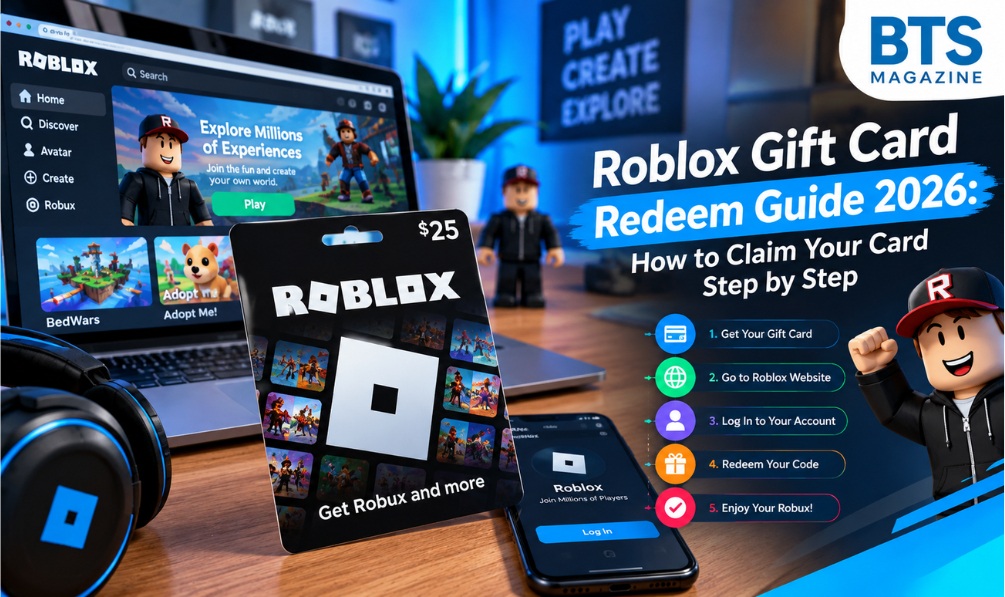
Have you received a Roblox gift card but are unsure how to use it? Whether it came as a birthday present or you bought it yourself, redeeming the card is usually quick when you follow the correct steps. The important part is knowing where to enter the code and how to use the value after redemption.
This Roblox gift card redeem guide for 2026 covers everything beginners need to know. You will learn how to redeem a gift card, check your account credit, use a mobile browser, and troubleshoot common problems. It also explains how to recognize suspicious websites that promise free Robux or ask for your private information.
By the end, you should understand how to redeem your card safely and make the most of its available value.
What Is Roblox Gift Card Redeem?
Roblox gift card redeem refers to entering a gift card’s unique code on Roblox’s official redemption page to apply its value or benefits to your account.
Gift cards are a prepaid payment option for people who want to make eligible purchases on Roblox. Depending on the card and its terms, redemption may add Roblox credit, provide access to eligible Robux purchases, or include promotional virtual items.
Roblox is an online platform where people play games, build experiences, and personalize their digital characters. You can read more about its background on Wikipedia.
Before redeeming a card, remember these important points:
- Gift card credit: The value added to your account for eligible purchases.
- Robux: Roblox’s virtual currency, used for supported digital purchases.
- Bonus items: Certain gift cards or promotions may include additional virtual rewards.
- Redemption code: The unique PIN or code used to claim the card’s value.
The exact benefits depend on the gift card and applicable terms. A card that adds credit does not necessarily deposit Robux directly into your balance.
Why Is Roblox Gift Card Redeem Important?
Understanding the redemption process helps you use your gift card without unnecessary confusion. It also helps protect your money from fake websites and misleading offers.
Here are four useful reasons to redeem your card correctly.
1. Make Eligible Purchases Easily
After redemption, you can use the available credit toward purchases supported by Roblox. This may include eligible Robux packages or other products, depending on the current payment options.
2. Manage Your Gaming Budget
Prepaid gift cards can help you control how much you spend. Instead of making repeated purchases with a bank card, you can begin with a fixed amount and plan your spending around it.
3. Keep Your Payment Information Private
Gift cards offer an alternative to entering payment card details for every purchase. However, you should still protect your Roblox password and avoid sharing your redemption code with other people.
4. Avoid Redemption Mistakes
Using the official website reduces the risk of entering your code on an imitation page. Checking the account name before redemption also helps prevent applying the card’s value to the wrong account.
Main Features and Benefits of Roblox Gift Cards
Roblox gift cards are useful for players who prefer prepaid spending. Their exact features may vary by country, retailer, and offer.
The main benefits include:
- Flexible availability: Physical cards may be sold in stores, while digital cards may be delivered electronically.
- Simple redemption: A valid code can generally be redeemed through the official website.
- Prepaid spending: The card has a set value or benefit rather than providing unlimited purchasing power.
- Potential bonus rewards: Eligible promotions may offer virtual items or other benefits.
- Useful gifting option: Gift cards allow friends and family to give Roblox-related value without choosing a specific digital item.
Always review the card’s packaging and purchase terms. Availability, promotional offers, and regional restrictions can change.
How to Redeem a Roblox Gift Card in 2026
If you want to complete the Roblox gift card redeem process, follow the instructions below. Keep your card or digital delivery email nearby before you begin.
Step 1: Visit the Official Roblox Website
Open a browser and go directly to:
Check the website address carefully. Avoid unfamiliar pages advertising free gift card codes, unlimited Robux, or instant rewards.
Step 2: Sign In to Your Account
Log in using the Roblox account where you want the gift card value to be applied.
If you have multiple accounts, double-check the username before continuing. Redeemed credit may not be transferable between accounts, so choosing the correct account matters.
Step 3: Locate Your Gift Card Code
For a physical card, look at the back and find the PIN or redemption code. If a scratch-off covering protects the code, remove it gently.
For a digital card, check the delivery email or order details supplied by the retailer.
Keep the code private. Anyone who obtains an unused code may be able to redeem its value.
Step 4: Enter the PIN or Code
Type the complete code into the redemption box on the official Roblox page.
Check each character before submitting. Some letters and numbers look similar, and a typing mistake can cause the code to be rejected.
If the code is difficult to read, check the original card or contact the seller rather than guessing repeatedly.
Step 5: Submit Your Redemption
Select the Redeem button and wait for the website to respond.
If the code is accepted, you should see a confirmation message or instructions explaining the result. Follow any additional steps displayed on the page.
If the website appears slow, check whether the redemption succeeded before trying again.
Step 6: Review Your Account Credit
After redemption, check the confirmation details and your available Roblox credit.
If the card adds credit instead of Robux, you may need to make a separate eligible purchase to obtain Robux. Read the transaction details before confirming a purchase.
Step 7: Use Your Credit Carefully
Browse the available purchase options and select the product or Robux package you want.
Before completing the transaction, confirm the amount and payment method. This helps you avoid unexpected charges or spending more than intended.
Important: Redeeming a gift card and purchasing Robux are two separate actions in cases where the card adds Roblox credit.
Can You Redeem a Roblox Gift Card on Mobile?
Yes. You can generally redeem a Roblox gift card using a supported mobile web browser.
Follow these steps:
- Open Chrome, Safari, or another supported browser.
- Visit the official page at https://www.roblox.com/redeem.
- Sign in to your Roblox account.
- Enter the gift card code.
- Tap Redeem and wait for confirmation.
- Check your credit or redemption details.
If you cannot find a redemption option inside the Roblox mobile app, try using your browser instead. Website features may differ from those available in the app.
Roblox Gift Card Redeem Not Working? Common Solutions
A redemption error does not always mean your gift card is invalid. The problem may involve an incorrect PIN, a retailer activation issue, or a temporary technical problem.
Try these solutions before giving up.
Check for Typing Errors
Enter the code again and look closely at similar-looking characters. Make sure you have not missed a letter or number.
Avoid sharing a photograph of the complete code online when asking for help.
Verify Retailer Activation
Some physical gift cards require activation at checkout. If your card was not activated correctly, contact the retailer and keep your receipt as proof of purchase.
Confirm the Correct Account
Check which Roblox account is currently signed in. If you redeemed the card elsewhere, its value may have been applied to that other account.
Check Your Internet Connection
An unstable connection may interrupt the process. Wait for the page to respond and check your account before submitting the same code again.
Contact Roblox Support
If the card appears valid but still fails, visit Roblox Support.
Provide the information requested by support, such as purchase details, the retailer’s name, and a receipt. Never give your password or verification codes to someone claiming to be a support agent.
How to Redeem Roblox Gift Cards Safely
Gift card scams often target players looking for free Robux. A few simple precautions can help protect your account and your money.
- Use the official Roblox redemption page.
- Purchase gift cards from reputable retailers.
- Keep unused redemption codes private.
- Never share your password or account verification codes.
- Avoid code generators promising unlimited Robux.
- Do not download unknown applications to unlock gift card rewards.
- Save your receipt until the card has been redeemed successfully.
Be especially careful with messages claiming you must provide a gift card code to verify your account or prevent a ban. Such requests are a warning sign of possible fraud.
FAQs About Roblox Gift Card Redeem
1. What is the official Roblox gift card redeem website?
The official redemption page is https://www.roblox.com/redeem. Sign in to your account, enter your code, and follow the instructions shown on the page.
2. Does a Roblox gift card automatically add Robux?
Not always. Depending on the card, redemption may add Roblox credit that you can use for eligible purchases. Check the card’s terms and the confirmation message to understand what you received.
3. Can I redeem a Roblox gift card using my phone?
Yes. Open the official redemption page in a supported mobile browser, sign in, enter the code, and submit it. If the app does not offer redemption, use your browser.
4. Why does my Roblox gift card say invalid?
An invalid-code message may result from a typing error, an activation problem, or a code that has already been redeemed. Review the code and receipt, then contact the retailer or Roblox Support if necessary.
5. Can I use the same Roblox gift card code twice?
Generally, no. Once a code has been successfully redeemed, it cannot be redeemed again. Check your account balance and confirmation details before trying to use the code a second time.
6. Can I move Roblox credit to another account?
You should not assume that redeemed credit can be transferred between accounts. Always select the intended account before redeeming and consult official support if you make a mistake.
7. Are Roblox gift card generators legitimate?
You should avoid unofficial gift card generators. They may collect personal information, promote unsafe downloads, or use misleading offers. Obtain gift cards through reputable sellers and redeem them on the official website.
Conclusion
Redeeming a Roblox gift card is a straightforward process when you use the right website and follow the correct steps. Visit the official redemption page, sign in to the account you want to use, enter your code, and review the confirmation.
Remember that Roblox credit and Robux are not always added in the same way. Check your balance before making a purchase, and contact official support if a valid card does not work.
Most importantly, keep your code private and avoid websites that promise free currency in exchange for sensitive information.
Ready to redeem your gift card? Visit https://www.roblox.com/redeem and follow the steps in this guide to get started.
Read also: Glossywise.com: Complete Platform Overview, Features and User Guide