

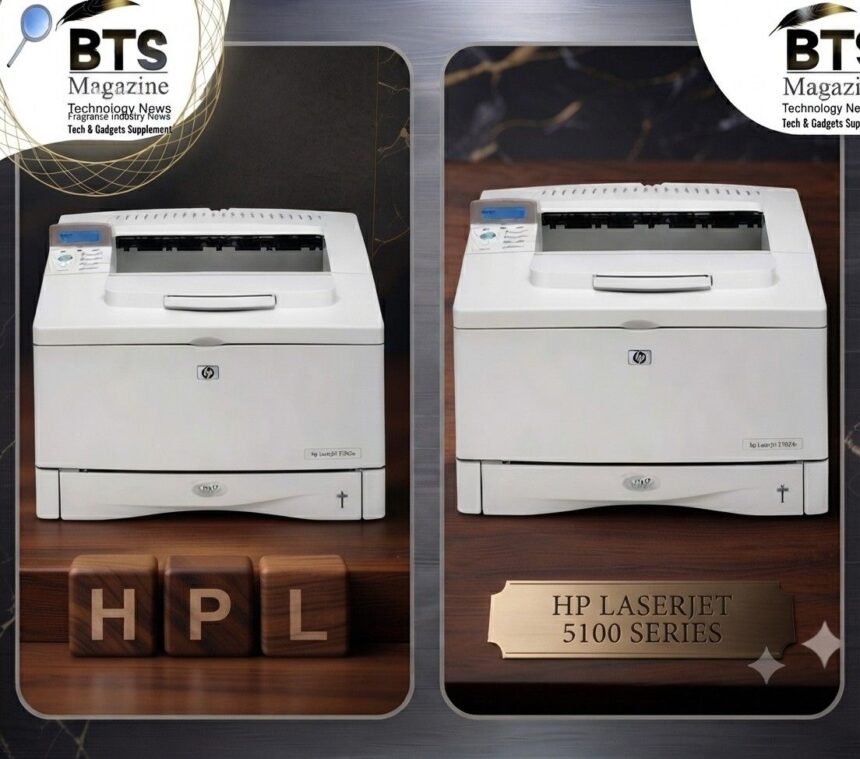
The HP LaserJet 5100 B/W laser printer is one of those old-school workhorses that people still talk about, even years after it left store shelves. If you’ve stumbled across one at an office sale, on a resale site, or tucked away in a storage room, you’re probably wondering whether it’s worth keeping around.
- A Quick Look at HP LaserJet History
- Where the 5100 Fits in the LaserJet Family
- Key Specs of the HP LaserJet 5100 B/W Laser Printer
- Print Quality: What to Expect
- Who Is the HP LaserJet 5100 Best For?
- Toner and Cartridge Info
- Connectivity and Setup
- Common Use Cases
- Pros and Cons
- Handy Tips for Owning a 5100
- Frequently Asked Questions
- Final Thoughts
Here’s the thing: this printer belongs to a family with a serious reputation. HP LaserJet machines earned a name for being tough, reliable, and easy to service. And the 5100 fits right into that story.
In this guide, you’ll learn where the 5100 comes from, what it actually does, who it suits best, and the little tips that keep these machines running. No fluff, no invented numbers — just what makes sense based on what HP and the wider LaserJet history tell us.
A Quick Look at HP LaserJet History
To understand the HP LaserJet 5100 B/W laser printer, it helps to know the bigger picture first.
HP launched the LaserJet line on May 22, 1984. That first model was the world’s first desktop laser printer, and it changed office printing forever. Before that, most people relied on noisy dot matrix or daisy wheel machines.
Who Actually Makes These Printers?
Hewlett-Packard designed and sold the LaserJet range. What’s interesting is that the print engines inside most HP laser printers come from Canon, the Japanese company. HP paired those engines with its own smart software and control language.
Why the LaserJet Name Matters
That combination worked. By the 1990s, LaserJet printers were a staple in offices all over the world. Sharp text, quiet operation, and long-lasting hardware built a lot of trust in the brand.
Quick recap: HP started the desktop laser printer era in 1984, and Canon engines helped power that success.
Where the 5100 Fits in the LaserJet Family
The HP LaserJet 5100 sits within the broader HP LaserJet 5000 printer series. That series was aimed at people who needed dependable black-and-white output without the frills of color.
To be honest, the model numbers in the LaserJet world can be confusing. A higher number doesn’t always mean newer tech. But the 5000-class machines were built as solid mono printers for busy environments.
A Monochrome Machine, Plain and Simple
The HP LaserJet 5100 B/W laser printer prints in black and white only. No color, no photo trickery. That focus is actually a strength — it keeps the machine simpler and the running costs lower.
Key Specs of the HP LaserJet 5100 B/W Laser Printer
Let’s break down what you actually get. I’ll stick to verified details here rather than guessing at numbers.
Printing and Language Support
The 5100 is a laser printer, so it uses toner and heat to fuse text onto the page. Like most professional LaserJets, it supports HP’s PCL printer language, which helps documents print consistently across different computers.
What Comes in the Box
According to HP’s own product listing, a boxed HP LaserJet 5100 typically includes:
- The printer itself
- A power cord
- A print cartridge
- Printer documentation
- A control panel overlay
- Printer software and an online user guide CD
Warranty Details
HP backed the 5100 series with a one-year, next-business-day, on-site warranty. That means a technician could come to you rather than you shipping the printer off — a nice touch for offices that can’t afford downtime.
Quick recap: You get a mono laser printer with PCL support, a starter cartridge, and solid warranty coverage right out of the box.
Print Quality: What to Expect
Laser printers like the 5100 are known for crisp, clean text. That’s their sweet spot.
If you print a lot of reports, invoices, contracts, or spreadsheets, this kind of machine shines. The letters come out sharp, and toner doesn’t smudge the way ink sometimes does.
Text Over Photos
Just remember — this is a black-and-white machine built for documents. It’s not the tool for glossy photo prints. For text-heavy work, though, it does the job nicely.
Who Is the HP LaserJet 5100 Best For?
Not every printer fits every person. So who really benefits from this one?
Small Offices and Workgroups
The 5100 was designed with steady, everyday printing in mind. If you’ve got a small team pushing out lots of paperwork, a machine like this handles the load without complaining.
Home Users Who Print a Lot
Maybe you work from home and print stacks of documents each week. A durable mono laser can be cheaper per page over time than a small inkjet.
Fans of Older, Repairable Hardware
Here’s something worth mentioning. A lot of people love older LaserJets precisely because they’re built like tanks and can often be cleaned and fixed by hand.
Quick recap: This printer suits offices, heavy home users, and anyone who values tough, fixable hardware.
Toner and Cartridge Info
Running costs matter, so let’s talk toner.
The HP LaserJet 5100 B/W laser printer uses a print cartridge, and one comes included in the box. Toner cartridges generally last a good while compared to inkjet cartridges, especially for text printing.
A Tip on Buying Toner
When shopping for replacements, always match the cartridge to the exact model. Buying the wrong one is an easy and frustrating mistake. Check the printer label or documentation before ordering.
Connectivity and Setup
Older LaserJets like the 5100 were built around the connection standards of their time.
The wider LaserJet range used parallel ports on earlier models and USB on newer ones, while many office units added network cards. If networking matters to you, check the specific unit you’re looking at, since options varied.
Loading the Software
The 5100 shipped with a software and user guide CD. On modern computers, you may need to hunt down updated drivers from HP’s support pages instead of relying on that old disc.
Common Use Cases
So what do people actually use these printers for? Here are the everyday jobs it handles well:
- Printing invoices, receipts, and financial paperwork
- Churning out reports and meeting handouts
- Producing letters and contracts
- Printing school or study materials
- Everyday black-and-white document work
Pros and Cons
No printer is perfect. Let’s weigh it fairly.
The Pros
- Reliable, durable build typical of the LaserJet line
- Sharp black-and-white text output
- PCL support for consistent printing
- Lower running costs than many inkjets for text
- A cartridge and warranty included from the start
The Cons
- No color printing at all
- Older connectivity may need driver hunting on modern PCs
- It’s a discontinued model, so new parts can be harder to find
- Larger and heavier than compact modern printers
Quick recap: Great for reliable mono printing, but not the pick if you need color or the newest connectivity.
Handy Tips for Owning a 5100
If you decide to keep or buy one, a few simple habits go a long way.
Keep It Clean
Dust and paper debris are the enemy. A gentle cleaning now and then keeps things running smoothly and cuts down on jams.
Use Quality Paper
Cheap, flimsy paper causes more jams and can affect print quality. Decent paper is a small cost that saves headaches.
Buy the Right Supplies
I’ll say it again because it matters: double-check the model before buying toner or parts. It’s the number one way to avoid wasted money.
Frequently Asked Questions
Is the HP LaserJet 5100 still worth using?
If it works and you print mostly text, yes. These machines were built to last, and many still run fine.
Does it print in color?
No. The HP LaserJet 5100 B/W laser printer is strictly black and white.
Can I still get toner for it?
Often, yes — but since it’s a discontinued model, availability can vary. Always confirm the exact cartridge fit before buying.
Final Thoughts
The HP LaserJet 5100 B/W laser printer is a classic example of why HP’s LaserJet name carries so much trust. It’s a straightforward, durable, black-and-white machine that handles document printing without fuss — exactly what a lot of offices and home users still want.
If you already own one, keep it clean, feed it good paper, and match your toner carefully. If you’re thinking about buying one, weigh the lack of color and older connectivity against its reliability and low text-printing costs. For a deeper look at the whole family and how it evolved over the decades, the HP LaserJet history on Wikipedia is a great next stop before you decide.
Continue reading: Shuffalo New Yorker: Everything You Need to Know About This Addictive Word Game