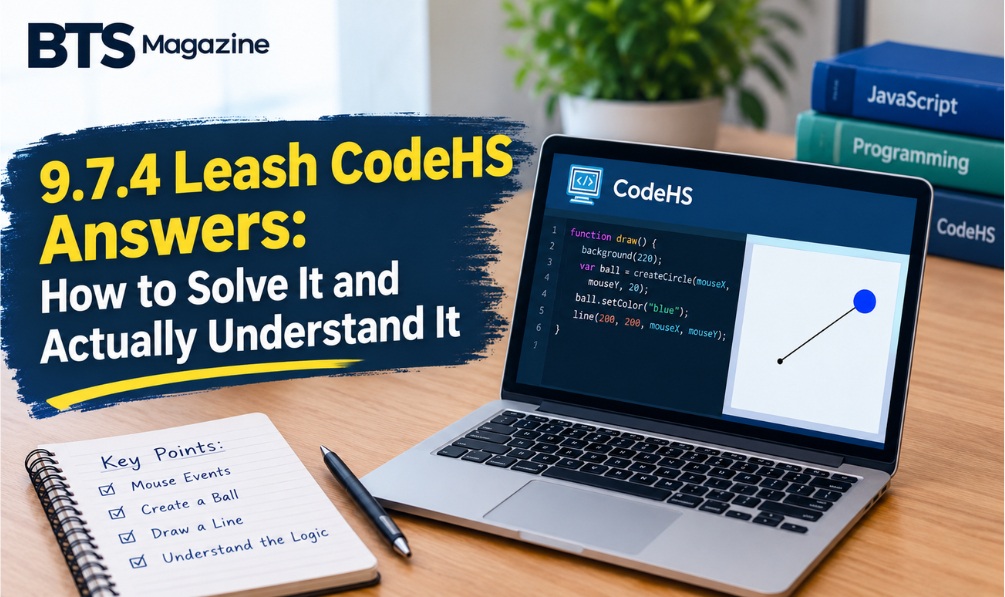
You’ve reached Lesson 9.7 in CodeHS, a circle needs to follow your mouse, a line needs to stretch behind it, and nothing on screen is doing what you expect. That’s a very common spot to get stuck.
This guide walks through 9.7.4 Leash CodeHS answers the useful way. You’ll see what the exercise asks for, how the pieces fit together, which mistakes cause most broken programs, and how to fix them. By the end you should be able to write the solution yourself, and explain it if your teacher asks.
What Is the 9.7.4 Leash Exercise in CodeHS?
The 9.7.4 Leash exercise is a JavaScript graphics assignment in the CodeHS “Introduction to Computer Science in JavaScript” course. It comes right after the lesson on drawing lines (9.7.1 to 9.7.3) and before the Advanced Animator Badge. In some versions, such as the Texas Computer Science 1 course, it is numbered 10.7.4.
Quick answer: In 9.7.4 Leash, you create a circle (the “dog”) and a line (the “leash”). Whenever the mouse moves, you update both so the circle sits under the cursor and the line stretches from a fixed anchor point to that circle.
Wording can differ slightly between course versions, so read your own instructions first. The core idea is the same everywhere: one mouse event updates two shapes.
The Big Idea Behind the Leash Exercise
It’s tempting to treat this as a drawing task. It’s really a lesson in event-driven programming, where your code waits for something to happen, like a click or a mouse movement, and then reacts. If you want the broader background, the Wikipedia article on event-driven programming covers the concept well.
In earlier lessons your program ran top to bottom and finished. Here, the program sets things up once, then sits and listens. Every time you move the mouse, CodeHS calls a function you wrote and hands it information about where the mouse is.
If that shift in thinking clicks, the rest of the exercise is easy.
How the Solution Is Structured (Step by Step)
Almost every working solution to the CodeHS Leash exercise has the same three parts.
Step 1: Create the Shapes Once
In your start() function, create the circle and the line, then add them to the canvas. The line needs a start point and an end point. The start is your fixed anchor, often the center of the screen. The end can begin at the same spot and move later.
You make these shapes only once. This is the most important design choice in the exercise, and the reason comes up again in the mistakes section below.
Step 2: Register the Mouse Movement Handler
Next, tell CodeHS which function should run when the mouse moves. In CodeHS this is done with mouseMoveMethod, and you pass it the name of your function. Pass the name only, without parentheses. Adding parentheses runs the function immediately instead of handing it over for later.
Step 3: Update the Circle and the Line
Inside your handler function, the parameter (commonly called e) carries the mouse position. You read the x and y values from it with e.getX() and e.getY(). Then you:
- Move the circle to those coordinates with
setPosition. - Move the free end of the line to the same coordinates with
setEndpoint.
That’s the whole mechanism. The anchor stays put, the circle follows the cursor, and the line connects them.
Common Mistakes (and How to Fix Them)
Most “my leash doesn’t work” problems come from a short list of causes.
Creating New Shapes on Every Mouse Move
If you write new Circle(...) or new Line(...) inside the handler, a fresh shape appears every time the mouse twitches. You end up with a trail of circles and lines instead of one leash. Fix: declare the shapes as global variables, create them in start(), and only modify them in the handler.
Calling the Function Instead of Passing It
mouseMoveMethod(leash()); runs leash once at startup, before any mouse event exists, which usually causes an error. Fix: write mouseMoveMethod(leash);.
Forgetting to Add Shapes to the Canvas
Creating a shape doesn’t show it. Without add(...), your code can run without errors and still show a blank screen. Fix: call add() for both the circle and the line.
Shifting the Circle by Its Radius
In CodeHS, a circle’s position is its center. If you subtract the radius from the mouse coordinates, the circle sits off to one side of the cursor and the leash looks attached to the wrong point. Fix: pass the mouse x and y straight in.
Using the Wrong Variable Names
A function parameter named e that you later refer to as event (or the other way around) is an easy typo to miss. Fix: keep the name consistent and read the error message in the console. It usually points to the exact line.
Why This Exercise Matters Beyond the Grade
It’s fair to ask why a circle on a string is worth a lesson. The pattern you practice here shows up everywhere in software: draggable objects, drawing tools, game controls, and interactive maps all work this way. You store a few pieces of state, listen for an event, and update what’s on screen to match.
Understanding why the shapes are created once and updated many times is also an early step toward thinking about how programs manage memory and performance.
Tips for Debugging Your Leash Program
When something breaks, work through this checklist:
- Check the console. Typos and undefined variables show up there first.
- Test the handler. Add a
println("moved")inside it. If nothing prints, the handler isn’t registered correctly. - Print the coordinates. Output
e.getX()ande.getY()to confirm you’re getting real numbers. - Test one shape at a time. Get the circle following the mouse first, then add the line.
- Compare against the instructions. Check the required colors, sizes and anchor point. Autograders are picky.
Can You Copy 9.7.4 Leash CodeHS Answers Online?
You’ll find plenty of pages offering ready-made answers. There are two good reasons to be careful.
First, many of them are inconsistent or just wrong. Some use methods that don’t match your course version, so they fail the checker anyway. Second, CodeHS is used inside classrooms, and copied code is easy for teachers to spot, especially when it uses a different style than your earlier assignments. Skipping the understanding also catches up with you in the next lessons, because the Advanced Animator Badge and later units build directly on mouse events.
A better approach is to use a guide like this one to understand the structure, then write the code in your own words. If you still can’t get it working, ask your teacher or post your specific error in a coding forum. Specific questions get far better help than “can someone send the answer.”
Frequently Asked Questions
What is the 9.7.4 Leash assignment in CodeHS?
It’s a JavaScript graphics exercise where a circle follows the mouse and a line stretches from a fixed point to the circle, like a leash. It teaches mouse events and drawing lines.
Which function makes the circle follow the mouse?
You register a handler with mouseMoveMethod. Inside the handler you reposition the circle using the mouse coordinates from the event object.
Why does my leash leave a trail of shapes?
You’re almost certainly creating new shapes inside the mouse handler. Create them once in start() and only update them in the handler.
Why is my screen blank when the code has no errors?
The shapes probably haven’t been added to the canvas. Make sure you call add() for both the circle and the line.
Is 9.7.4 the same as 10.7.4?
Often yes. The same lesson (“Drawing Lines”) appears under different numbers in different CodeHS courses, such as the Texas Computer Science 1 version, but the activity is the same.
Conclusion: Build It Yourself, Then Build On It
The 9.7.4 Leash exercise comes down to one idea: set up your shapes once, listen for mouse movement, and update the circle and line each time. If you remember that, the code mostly writes itself.
Open your editor, build the circle first, then add the line, and test after every change. Once it works, try your own extension, like changing the leash color as the mouse moves or limiting how far the circle can travel. Doing that will teach you more than any answer key.
Stuck on a different CodeHS lesson? Check out our other CodeHS guides and keep building.
Read also: Blessingtide.com USA Explained: Website, Content, and What Readers Should Know