A simple, jargon-free explanation of UI and UX: what each term means, how they differ, how they work together and everyday examples you will recognise.
Quick answer: UI stands for user interface: the screens, buttons, colours, text and icons you see and touch in an app or website. UX stands for user experience: the whole experience of using that product, including how easy, fast and satisfying it is. Put simply, UI is how a product looks, and UX is how it works and feels. Good products need both.
You have probably seen “UI UX” in job adverts, course names and tech articles. The two terms are often used together, which makes them easy to confuse. But they describe different, connected parts of digital design.
This article explains what UI and UX mean, the key differences, simple real-world examples, how designers combine them and why they matter to businesses and users.
If you want to go deeper into the design process, tools and careers, read our full guide to UI UX design after this one.
In this article
- What is UI (user interface)?
- What is UX (user experience)?
- What is the difference between UI and UX?
- Simple examples of UI and UX
- How do UI and UX work together?
- What do UI designers and UX designers do day to day?
- Common myths about UI and UX
- Why do UI and UX matter?
- How can you start learning UI and UX?
- Frequently Asked Questions
- Final Thoughts
What is UI (user interface)?
The user interface is everything a person interacts with on a screen. It is the visual and interactive layer of a product.
- Layout: where elements sit on the screen
- Typography: fonts, sizes and line spacing
- Colour: brand colours, contrast and states
- Buttons and controls: menus, forms, toggles and sliders
- Icons and images: visual cues that support the text
- Micro-interactions: small animations, such as a heart filling when you tap “like”
A UI designer makes these elements clear, consistent and attractive.
What is UX (user experience)?
User experience is the overall feeling and outcome of using a product. The term was popularised by Don Norman at Apple in the 1990s to cover every part of a person’s interaction with a company and its products.
- Usefulness: does it solve a real problem?
- Usability: is it easy to learn and use?
- Efficiency: how quickly can people finish tasks?
- Accessibility: can people with different abilities use it?
- Emotion: do people feel confident, calm or frustrated?
A UX designer researches users, maps journeys, plans structure and tests whether the product actually works for people.
What is the difference between UI and UX?
| Point | UI (User Interface) | UX (User Experience) |
|---|---|---|
| Focus | How it looks | How it works and feels |
| Main question | Is it clear and attractive? | Is it useful and easy? |
| Typical work | Visual design, components, style guides | Research, user flows, wireframes, testing |
| Output | High-fidelity screens and design systems | Personas, journeys, prototypes, test results |
| Measured by | Consistency, readability, brand fit | Task success, time on task, satisfaction |
| Analogy | Paint, furniture and lighting in a house | The floor plan and how easy the house is to live in |
UX can exist without a screen, for example in a shop checkout process, but UI is always about the interface itself.
A helpful way to remember it: UX decides what should happen and in which order, while UI decides how each step looks on screen. If a user cannot find a feature, that is usually a UX problem; if they find it but cannot read the label, that is usually a UI problem.
Simple examples of UI and UX
UI: a warm brown colour scheme, clear photos of drinks and a big “Order” button. UX: you can repeat your usual order in two taps, see when it will be ready and skip the queue. If the app looks lovely but takes eight steps to order, the UI is good but the UX is poor.
A machine with a modern touchscreen (good UI) still frustrates travellers if it hides the cheapest ticket three menus deep (bad UX). Moving popular tickets to the first screen improves UX without changing the visual design at all.
How do UI and UX work together?
UX sets the structure and goals; UI brings them to life visually. In practice the work overlaps:
- UX research finds what users need.
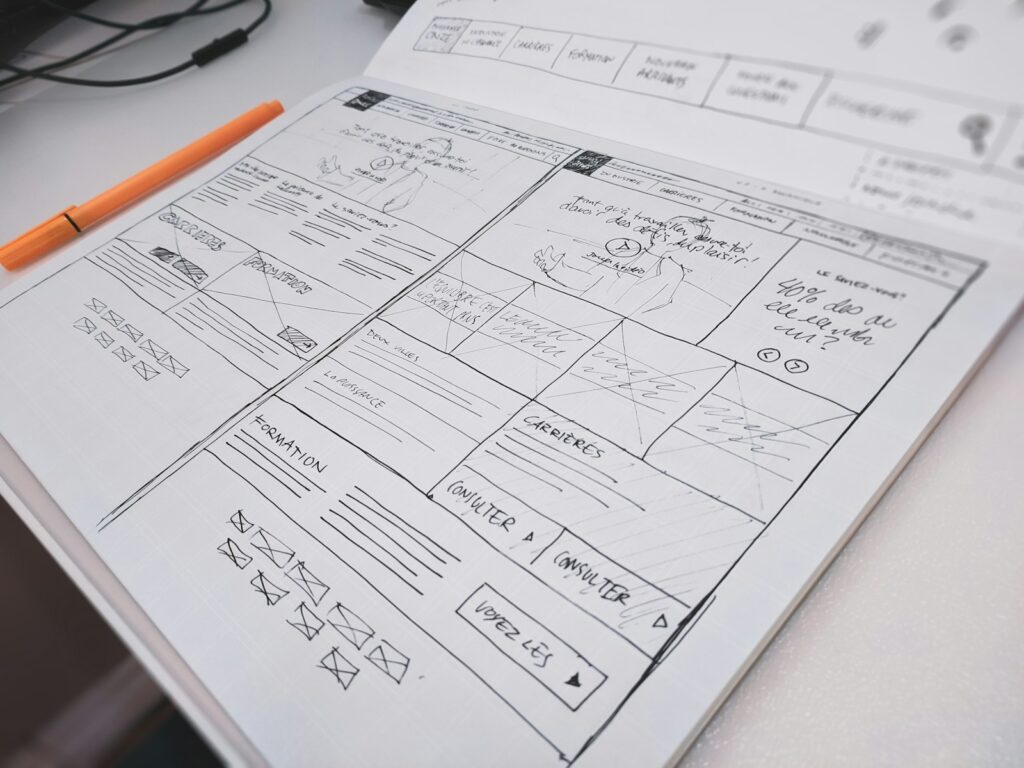
- UX wireframes outline the screens and steps.
- UI design turns wireframes into polished screens.
- Usability tests check both: can users find things and do they understand the visuals?
- Both teams refine the design based on results.
In smaller companies one “UI UX designer” or “product designer” often does both jobs.
What do UI designers and UX designers do day to day?
A UI designer’s day
- Designing high-fidelity screens in Figma
- Updating the design system with new buttons, colours and icons
- Checking that designs match brand guidelines
- Preparing assets and specs for developers
- Reviewing built screens for visual accuracy
A UX designer’s day
- Interviewing users or reviewing survey results
- Mapping user journeys and pain points
- Sketching wireframes and flows
- Running usability tests on prototypes
- Sharing findings with product managers and engineers
Both roles meet constantly, because a change in the user flow usually means new screens, and a new visual pattern can affect how easy a task feels.
Common myths about UI and UX
- “UX is just making it pretty”: pretty is UI; UX is about whether it works for people
- “Users will figure it out”: most people leave a confusing app rather than learn it
- “UX is only for big companies”: small businesses benefit even more, because each lost customer matters
- “More features mean better UX”: extra features often make a product harder to use
- “Design ends at launch”: good teams keep improving using real user data
Why do UI and UX matter?
- Higher sales: smooth checkouts and clear buttons increase conversions
- Lower costs: fewer support calls and less rework
- Customer loyalty: people return to products that are easy to use
- Accessibility: good design includes more people and meets legal standards
- Brand trust: a polished, consistent interface signals quality
Search engines also reward good page experience. Google’s guidance on page experience explains why usable, fast pages matter for SEO.
How can you start learning UI and UX?
- Read about basic usability principles, such as the Nielsen Norman Group’s heuristics.
- Download Figma for free and copy the screens of an app you like.
- Practise redesigning one small task, such as a sign-up form.
- Ask friends to try your design and watch where they struggle.
- Take a structured course; many are free or low-cost online.
Our guides to free AI courses with certificates and Coursera careers list useful learning platforms.
When you judge any app, ask two separate questions: “Does it look clear?” (UI) and “Could I finish my task quickly?” (UX). Keeping them apart trains your designer’s eye.
Open your most-used app and time how long a common task takes. Then list one UI change and one UX change that would make it faster.
Frequently Asked Questions
What is UI UX in simple words?
UI is how a product looks and what you interact with; UX is how easy and pleasant the product is to use overall.
What is the full form of UI UX?
UI stands for user interface and UX stands for user experience.
Which is better, UI or UX?
Neither is better; they are different skills, and good products need both.
Is UI UX the same as graphic design?
No. Graphic design focuses on visuals for print and media, while UI UX focuses on interactive digital products and user needs.
Does UI UX need coding?
No, but understanding basic HTML and CSS helps designers work with developers.
Can one person do both UI and UX?
Yes. Many designers, often called product designers, handle both.
Final Thoughts
- UI is the user interface: the look and controls of a product.
- UX is the user experience: how useful, easy and satisfying it is.
- UI is about appearance; UX is about function and feeling.
- The best digital products combine strong UI and strong UX.