

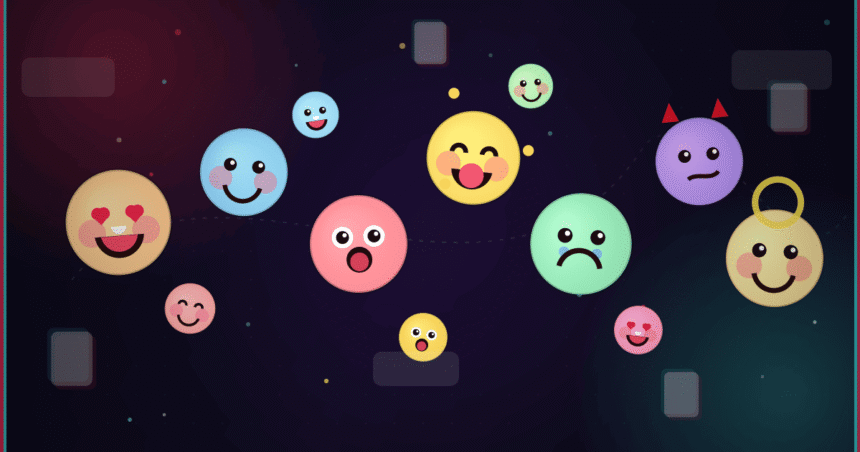
So you’re scrolling TikTok Emoji Codes reading the comments like we all do, and you spot an emoji that doesn’t look like anything on your phone. Weird, right? That’s a TikTok emoji code. The app has its own secret stash of emojis, and the only way to use them is by typing little text codes wrapped in square brackets.
- What Are TikTok Emoji Codes, Really?
- Why Did TikTok Make Its Own Emojis?
- How the Codes Actually Work
- The Full List of TikTok Emoji Codes That Work
- Using Emoji Codes in Comments
- Using Them in Captions
- A Few Tips Worth Knowing
- Why People Actually Love These
- Do These Codes Ever Change?
- Mistakes People Keep Making
- Are These the Same as Normal Emojis?
- Frequently Asked Questions
- How many TikTok emoji codes are there?
- Why won’t my code work?
- Can I put these in my username?
- Will everyone see them?
- Are these the same as secret emojis on other apps?
- Wrapping Up
And honestly? Most people never figure them out. They just scroll past. But it’s an easy trick once someone shows you, and after that you’ll be sprinkling these emojis into your comments without even thinking about it.
I’ll break down what these codes are, how to use them, and the actual list that works. No fake codes, no filler. Just the stuff that actually does something when you type it.
What Are TikTok Emoji Codes, Really?
Think of them as shortcuts. Instead of digging through your keyboard, you type a word in brackets, say [happy], and TikTok flips it into one of its own custom emojis the second you post.
The catch is they only live inside TikTok. Try them on Instagram or in your texts and you’ll just get plain words. Nothing happens.
That’s kind of the charm, though. It feels like an inside joke that only TikTok users are in on.
Why Did TikTok Make Its Own Emojis?
Plenty of apps do this. Facebook has its reactions, Slack has a million custom ones, and TikTok wanted its own flavor too. These emojis just fit the goofy, over-the-top energy the app runs on.
Plus they grab attention. A regular smiley face blends in. One of these custom ones? People actually notice it.
How the Codes Actually Work
It’s simpler than it sounds. You type a keyword inside square brackets, and TikTok reads it and swaps in the emoji. Done.
Type [loveface] and you won’t see those letters once you hit post. You’ll see the emoji sitting there instead.
The Format You Need to Follow
Every code looks the same:
- A square bracket to start
[ - The emoji name, no spaces
- A square bracket to close
]
Get the spelling right and it works the moment you send.
Where These Codes Work
You’ve got a few spots to play with:
- Comments under videos
- Your own video captions
- Some text replies
Just remember they only show up properly inside TikTok. Screenshot a comment and the emoji stays, sure, but the actual code only does its job in the app itself.
The Full List of TikTok Emoji Codes That Work
Alright, this is probably why you clicked. Here are the codes people have been using for ages. Type any one of them with the brackets and TikTok should swap in the matching emoji.
[smile][happy][angry][cry][embarrassed][surprised][wronged][shout][flushed][yummy][complacent][drool][scream][weep][speechless][funnyface][laughwithtears][wicked][facewithrollingeyes][sulk][thinking][lovely][greedy][wow][joyful][hehe][slap][tears][stun][cute][blink][disdain][astonish][rage][cool][excited][proud][smileface][evil][angel][laugh][pride][nap][loveface][awkward][shock]
Copy them exactly, brackets and all. One typo and TikTok just leaves your text as text. Spelling really does matter here.
Using Emoji Codes in Comments
This is the easy part. Here’s how it goes.
Step 1: Open the Comments
Tap the comment bubble on any video. That’s where most folks drop these emojis to react to stuff.
Step 2: Type the Code
In the box, type your code with the brackets, like [loveface]. You can stick it in the middle of a sentence too, no problem.
Step 3: Hit Send
Post it. The code vanishes and the emoji takes its place. That’s the whole thing.
Using Them in Captions
Same deal with captions. While you’re setting up a video, just type the code into the caption box.
One nice thing about captions is you can preview them before posting. So if you’re unsure whether a code worked, you’ll see it before it goes live.
A Few Tips Worth Knowing
Small stuff, but it’ll save you some frustration.
- Use both brackets, every time. Skip one and nothing happens.
- No spaces inside.
[love face]is dead,[loveface]works. - Keep it lowercase. That’s how all the codes are written.
- Not sure about a code? Try it in a comment first.
Mixing Emojis Into Your Sentences
You can drop these right into normal text. Type something like “Best day ever [happy]” and TikTok slides the emoji in for you. Easy.
Why People Actually Love These
There’s a reason you keep seeing these codes pop up. They give your comments a bit of personality, and let’s be real, using them makes you look like you know your way around the app.
It’s a tiny thing. But it makes your comment feel like it belongs there.
Do These Codes Ever Change?
Yeah, they can. TikTok pushes updates all the time, and now and then the emoji set gets shuffled around. Some get added, some quietly disappear.
So if a code suddenly stops working, an update probably changed it. The list above is what most people have been relying on, but at the end of the day, TikTok calls the shots.
Mistakes People Keep Making
Same handful of slip-ups, over and over. Watch for these:
- Leaving off a bracket
- Spelling the emoji name wrong
- Throwing in capital letters
- Hoping they’ll work outside TikTok
Sort those out and the emojis usually show up no problem.
Are These the Same as Normal Emojis?
Nope. Regular emojis come from your phone and look pretty similar everywhere. These TikTok ones are custom-built and only appear through the code system inside the app.
That’s exactly what makes them feel a little special. They’re a TikTok thing and nothing else.
Frequently Asked Questions
How many TikTok emoji codes are there?
Somewhere around 40 to 50 that people use regularly. The number isn’t set in stone since TikTok can tweak the list whenever it updates the app.
Why won’t my code work?
Nine times out of ten it’s a typo, a missing bracket, or a sneaky space. Check the spelling and format, then give it another shot.
Can I put these in my username?
No, sorry. They’re built for comments and captions only, not usernames or profile names.
Will everyone see them?
Yep, as long as they’re looking at your comment or caption inside the TikTok app. It shows up the same for everybody on the platform.
Are these the same as secret emojis on other apps?
Not at all. Every app makes its own. These ones are TikTok-only.
Wrapping Up
TikTok emoji codes are a quick, fun way to make your comments and captions stand out. Once the bracket trick clicks, you’ll be using them in seconds.
My advice? Don’t overthink it. Grab a couple from the list, test them in a comment, and see what happens. After a few tries it’ll feel totally natural, and your comments will have a little extra something the next person’s doesn’t.
Continue reading: Fappelo Explained: What It Is and Why Everyone’s Talking About It