
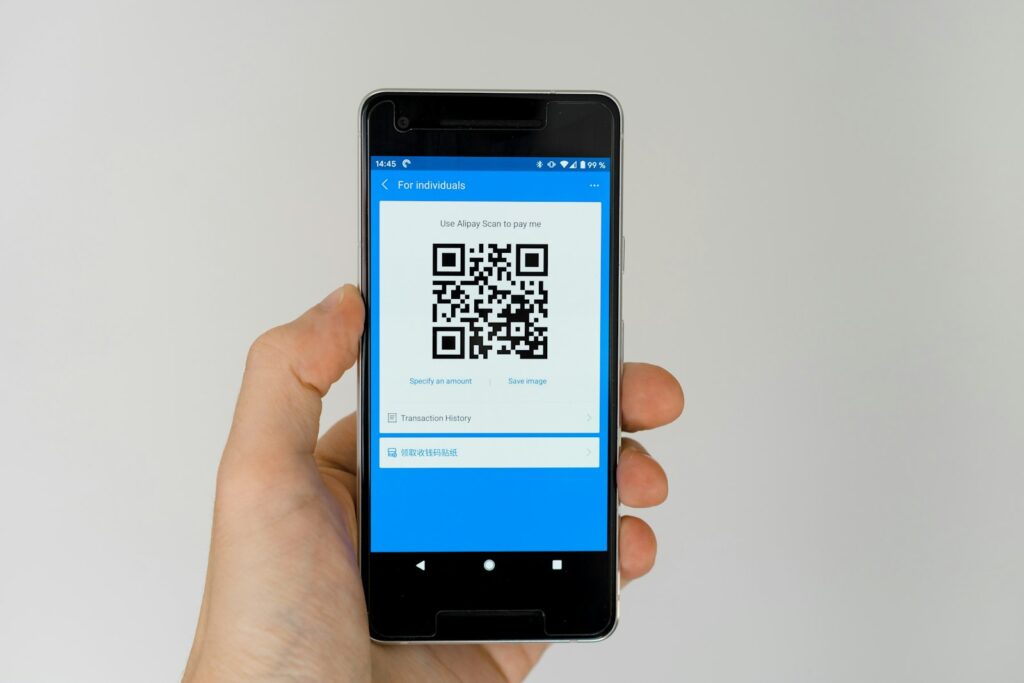
Everything you need to know about the quick response code, from how it stores data to how to make and scan one safely.
Quick answer: A quick response code, or QR code, is a square two-dimensional barcode that stores information such as a web link, Wi-Fi login or payment details. Your phone camera reads it in about a second and opens the content. QR codes were invented in 1994 by Denso Wave in Japan and are now used for menus, payments, tickets and marketing.
You see QR codes on restaurant tables, parking meters, parcels and adverts. They look like random black and white squares, but each one follows a clear structure that lets any phone camera read it quickly, even if part of the code is dirty or torn.
This guide explains what a quick response code is, how it works inside, the main types, how businesses use them and how to avoid the growing number of QR code scams.
In this article
- What is a quick response code?
- How does a QR code work?
- How much data can a QR code hold?
- What are the main types of QR codes?
- How are QR codes used in everyday life and business?
- How do you create and scan a QR code?
- Are QR codes safe?
- Frequently Asked Questions
- Final Thoughts
What is a quick response code?
A quick response code is a machine-readable label made of small black squares, called modules, on a white grid. Unlike an old-style barcode that only stores data in one direction, a QR code stores data both across and down. That is why it can hold far more information in a small space.
The QR code was created in 1994 by Masahiro Hara and his team at Denso Wave, a Toyota group company. It was first used to track car parts in factories. The name “quick response” comes from its main goal: to be read very fast. Denso Wave chose not to enforce its patent, which helped the code spread worldwide. Today the format is an international standard, ISO/IEC 18004.
How does a QR code work?
Every QR code has the same basic parts. Once you know them, the pattern makes sense.
- Finder patterns: the three large squares in the corners tell the scanner where the code is and which way up it is
- Alignment pattern: a smaller square that helps correct for bent or angled codes
- Timing patterns: lines of alternating modules that help the scanner measure the grid
- Format and version information: tells the reader the error correction level and size
- Data and error correction: the rest of the modules hold your content plus backup data
- Quiet zone: the white border around the code, which must stay clear
1. The camera finds the code
Your phone spots the three finder squares and maps the grid.
2. The modules are read as data
Each dark or light module is turned into binary ones and zeros.
3. Errors are fixed
QR codes use Reed-Solomon error correction, so they can be read even when part of the code is damaged.
4. The phone acts on the content
It opens a link, joins a Wi-Fi network, adds a contact or starts a payment.
How much data can a QR code hold?
QR codes come in 40 versions. Version 1 is a 21 x 21 grid, and each version adds four modules per side, up to version 40 at 177 x 177. The largest version can hold up to 7,089 numbers or 4,296 letters and symbols.
| Error correction level | Data it can recover | Best for |
|---|---|---|
| L (Low) | About 7% | Clean screens and digital use |
| M (Medium) | About 15% | Most everyday print |
| Q (Quartile) | About 25% | Factories and outdoor signs |
| H (High) | About 30% | Codes with a logo in the middle or rough surfaces |
Higher error correction makes the code more robust but means it needs more modules for the same data. Short links keep codes simple and easier to scan.
What are the main types of QR codes?
1. Static QR codes
The data is fixed inside the code. If you change the link, you must print a new code. They are free and never expire.
2. Dynamic QR codes
The code points to a short redirect link that you can edit later. You can also see scan counts. Most dynamic codes need a paid generator account, and they stop working if the subscription ends.
3. Other formats
Micro QR codes are tiny versions for small parts. Other codes, such as rectangular rMQR, suit narrow labels. For most people, a standard static or dynamic code is enough.
A café prints a static QR code on each table that links to its menu page. When prices change, the café only updates the web page. The printed code still works because the link stays the same.
How are QR codes used in everyday life and business?
- Payments: scan to pay apps and bank transfers, very common in Asia and growing in Europe and the US
- Menus and ordering: table codes that open a menu or order page
- Tickets and boarding passes: airlines, trains and events
- Wi-Fi sharing: guests join a network without typing a password
- Marketing: posters, packaging and business cards that link to offers
- Product tracking: stock, parcels and manufacturing parts
- Login and two-factor setup: apps such as authenticators and messaging web logins
A seller adds a QR code to every parcel that links to a review page and a 10% repeat-order discount. Because it is a dynamic code, the seller can see how many customers scanned it each month and change the offer without reprinting.
If you run a small business, linking codes to a tidy short URL helps. Our guide to URL link management explains how to keep links organised.
How do you create and scan a QR code?
1. Choose what the code will open
Pick a web link, text, contact card or Wi-Fi details.
2. Use a trusted generator
Many free tools create static codes. Browsers such as Google Chrome can also make a QR code for the page you are viewing.
3. Pick size and contrast
Use dark modules on a light background and keep the quiet zone. For print, a code of at least 2 x 2 cm works for close scanning; posters need larger codes.
4. Test before printing
Scan with both iPhone and Android phones from different distances.
5. Scan a code
Open your phone camera, point it at the code and tap the link that appears. You can also use Google Lens.
If a code will not scan, the cause is often blur or poor contrast. See our guide on blurred QR codes and how to fix them.
Are QR codes safe?
The QR code itself is just data, but criminals use fake codes to send people to phishing sites. This is called “quishing”. Fake stickers are often placed on parking meters and car charging points.
- Check the link preview before you tap it.
- Do not enter bank or login details after scanning a code in a public place unless you are sure it is real.
- Look for stickers placed on top of an original code.
- Use the official app for parking or payments instead of a code when possible.
- Report suspicious codes to the business or the authorities.
The UK National Cyber Security Centre and the US Federal Trade Commission both warn about QR code scams.
If you print QR codes for your business, add a short web address under the code. People who are worried about scams can type it in instead of scanning.
Make a QR code for your home Wi-Fi network and stick it inside a cupboard door. Guests can scan it to join, and you never need to read out your password again.
Frequently Asked Questions
What does QR stand for?
QR stands for quick response, because the code was designed to be read very quickly by scanners.
Who invented the QR code?
Masahiro Hara and his team at Denso Wave in Japan created it in 1994 to track car parts.
Do QR codes expire?
Static QR codes never expire. Dynamic codes can stop working if the service that hosts the redirect link is cancelled.
Can a QR code hold a lot of data?
The largest version can hold up to 7,089 numbers or 4,296 alphanumeric characters, but short links scan best.
Is it free to make a QR code?
Yes, static codes are free with many generators and some browsers. Dynamic codes with tracking usually need a paid plan.
How do I scan a QR code on my phone?
Open the camera app on most iPhone and Android phones, point it at the code and tap the link that appears.
Final Thoughts
- A quick response code is a 2D barcode that phones read in about a second.
- Built-in error correction lets damaged codes still work.
- Use static codes for fixed links and dynamic codes when you need edits or tracking.
- Always check the link before entering personal details after a scan.