

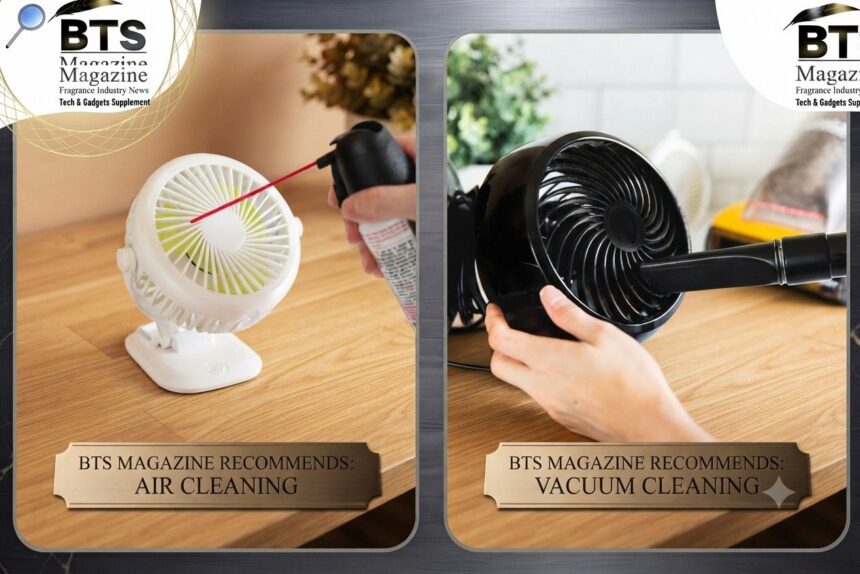
How to clean a fan is one of those household chores most of us put off way too long. We use fans almost daily, yet we rarely think about the dust piling up on the blades. Then one day you look up and realize your fan looks fuzzy and gray.
- Why Cleaning Your Fan Actually Matters
- Tools You’ll Need Before You Start
- How to Clean a Fan: The Golden Rule First
- How to Clean a Ceiling Fan
- How to Clean a Tower Fan
- How to Clean a Box Fan
- How to Clean a Desk Fan
- Safety Tips You Shouldn’t Ignore
- How Often Should You Clean a Fan?
- Simple Maintenance Tips to Keep It Cleaner Longer
- A Quick Recap Before You Grab That Cloth
Here’s the thing: a dirty fan doesn’t just look bad. It works harder, moves less air, and spreads dust around your room. So let’s fix that.
Why Cleaning Your Fan Actually Matters
To be honest, most people don’t realize how much dust a fan collects. Those spinning blades act like magnets for lint, pet hair, and airborne particles.
When dust builds up, your fan can’t push air as smoothly. That means weaker air circulation and a room that never quite feels cool.
There’s also the health side. Every time you switch the fan on, it flings that dust back into the air you breathe. Not great if anyone in your home has allergies.
Better Performance With Clean Blades
Clean fan blades spin more efficiently. A balanced, dust-free blade moves more air using less energy.
Cleaner Air Around You
Regular dust removal keeps your indoor air a little fresher. It’s a small step, but it makes a real difference.
Tools You’ll Need Before You Start
You don’t need anything fancy here. Chances are you already have most of these lying around.
- A microfiber cloth (a couple of them, actually)
- A soft brush or an old paintbrush
- Mild dish soap and warm water
- A vacuum with a brush attachment
- A screwdriver (for fans you can open up)
- A pillowcase or old towel
- A step ladder for ceiling fans
Keep a small bowl of soapy water nearby. It’ll save you a ton of back-and-forth trips.
How to Clean a Fan: The Golden Rule First
Before anything else, unplug the fan. Always. For ceiling fans, flip off the switch at the wall.
Never clean a fan while it’s running or still connected to power. This is the one rule you should never skip.
How to Clean a Ceiling Fan
Ceiling fans are sneaky. Because they’re up high, we forget about them until dust starts snowing down.
The Pillowcase Trick
This one’s a classic for a reason. Slide an old pillowcase over each blade, then pull it back slowly.
The dust stays trapped inside the case instead of falling all over your floor and furniture. Genius, right?
Wiping It Down
After the pillowcase pass, wipe each blade with a slightly damp microfiber cloth. Follow up with a dry cloth so no moisture sits on the wood or metal.
Don’t forget the light fixtures and the motor housing. Dust loves to hide there too.
How to Clean a Tower Fan
Tower fans are trickier because the blades sit inside a tall, narrow body. You can’t just wipe them easily.
Vacuum the Vents
Start by vacuuming the front and back grilles with a brush attachment. This pulls out most of the loose dust.
Open It Up If You Can
Some tower fans let you unscrew the back panel. If yours does, open it and use a soft brush to reach the inner blades.
What’s interesting is that tower fans often hold way more dust than they look like they should. That narrow shape traps everything.
How to Clean a Box Fan
Box fans are probably the easiest to clean since you can open them right up.
Remove the Front Grille
Use a screwdriver to take off the front cover. Most box fans have a few simple screws or clips.
Wash the Grilles
Once the grilles are off, wash them in warm soapy water. Rinse well and let them dry completely before putting everything back.
Wipe the Blades
Wipe each blade with a damp cloth. Box fan blades are wide and flat, so they collect a surprising amount of grime.
How to Clean a Desk Fan
Desk fans sit close to us all day, so they get plenty of dust and even a bit of grease from the air.
Take Off the Cage
Most desk fans have a cage that clips or twists off. Remove it gently.
Clean the Small Parts
Wash the cage and wipe the blades. A soft brush works great for those tight little gaps near the center.
Because desk fans are small, this whole job usually takes under ten minutes.
Safety Tips You Shouldn’t Ignore
Safety matters more than speed here. A few simple habits keep the whole process smooth.
- Keep water away from the motor and any electrical parts
- Let all washed parts dry fully before reassembly
- Never use harsh chemicals on plastic blades
- Make sure the fan is stable before you start scrubbing
Here’s the thing: rushing this part is how people damage their fans. Take your time.
How Often Should You Clean a Fan?
This depends on where you live and how much you run your fan. A good general rule works for most homes, though.
During Heavy Use
If your fan runs daily, give it a quick wipe every two weeks. A deeper clean once a month keeps it in great shape.
Light or Seasonal Use
For fans you only use now and then, cleaning before and after the season is usually enough.
Homes with pets or lots of dust may need more frequent attention. You’ll notice when the blades start looking fuzzy again.
Simple Maintenance Tips to Keep It Cleaner Longer
A little upkeep goes a long way. These small cleaning tips help you avoid big dust buildups later.
- Do a quick dust-off between deep cleans
- Store fans in a cover during the off-season
- Keep them away from cooking areas where grease travels
- Check that the blades stay tight and balanced
Regular household maintenance like this keeps your fan running quietly and smoothly for years.
Watch for Wobbling
If your fan starts wobbling, dust buildup or a loose blade might be the cause. Clean it first, then check the screws.
A Quick Recap Before You Grab That Cloth
So we’ve covered how to clean a fan across pretty much every type you’ll find at home. Ceiling, tower, box, and desk fans all follow the same basic idea.
Unplug it, remove the dust, wash what you can, and dry everything fully. That’s really the whole formula.
Once you get into the habit, cleaning a fan takes just a few minutes. And the payoff is better air circulation, cleaner air, and a fan that lasts longer.
To be honest, the hardest part is just remembering to do it. Set a little reminder and you’re golden. If you ever get curious about how these machines actually move air, the Wikipedia page on fans is a fun little read that explains the mechanics behind that cool breeze.
Continue reading: Chondromalacia: What It Really Is, Why It Happens, and How to Deal With It