
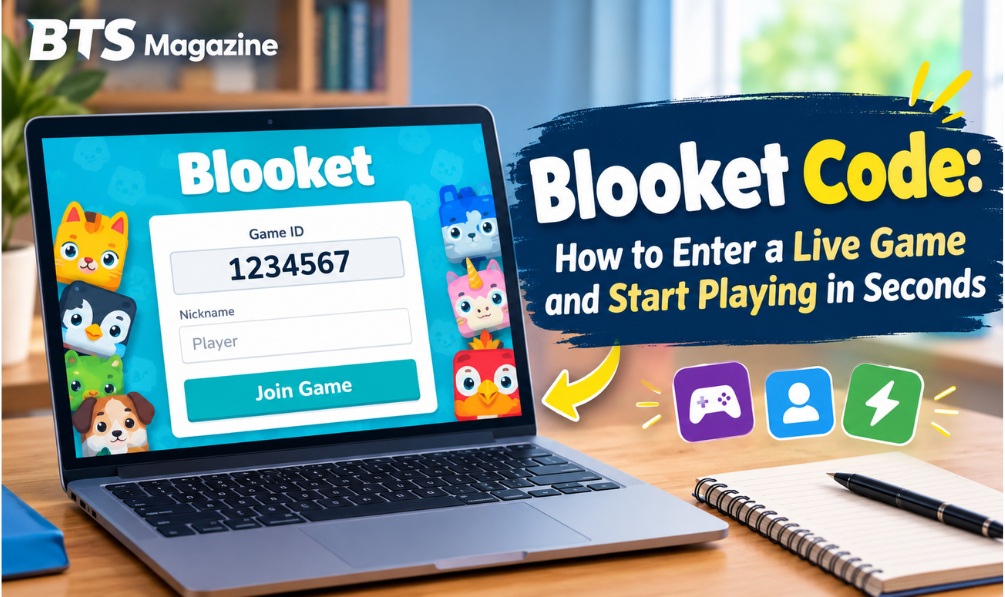
Someone gave you a Blooket code and you have no idea where to type it. Or you’re searching for a working code to jump into a game right now, and every link you try leads nowhere. Either way, the fix is simple. Once you know the right page, using a Blooket code takes well under half a minute, and you don’t need an account to play. Below are the exact steps, along with solutions for when a code refuses to work.
What Exactly Is a Blooket Code?
A Blooket code, also called a Game ID, is a 6 or 7-digit number created the moment a host launches a live game. The host passes it to the players by displaying it on a classroom screen, reading it out on a call, or posting it in a group chat. Anyone holding the number can enter that particular session. Because each code belongs to one live game only, a number from an earlier session becomes useless as soon as that game closes.
How to Use a Blooket Code to Join a Game
Step 1: Ask the Host for the Current Code
First, you need a code that is active at this moment. It normally comes from your teacher, presenter, or whoever is running the game. Always take it straight from the person hosting right now, not from a previous lesson or an old stream.
Step 2: Open play.blooket.com
Launch your browser and go to play.blooket.com. This page is separate from the main Blooket website and exists for one purpose: letting players enter a code and land in a session immediately.
Step 3: Enter the Code in the Game ID Field
You’ll see a field marked “Game ID.” Type in the 6 or 7 digits exactly as you received them. Watch out for lookalike characters, such as the number zero and the letter O, particularly when the code was spoken aloud or scribbled on a whiteboard.
Step 4: Choose a Nickname
Once the code is accepted, Blooket asks for a nickname. The host and the other players will see it throughout the game, so choose something suitable for the setting, especially if you’re in class.
Step 5: Wait in the Lobby
After you confirm your nickname, you arrive in the game lobby and wait for the host to begin. There’s no sign-up and no email involved. From typing the code to reaching the lobby usually takes less than 30 seconds.
Why Is My Blooket Code Not Working?
When a code gets rejected, one of these reasons is usually behind it:
- The game is over. A code only works while the host’s session is running. If the host ended the game or it timed out, the code is dead.
- A typing slip. Since the code is only digits, mixing up two similar numbers is easy, particularly if it was announced quickly.
- Wrong session. A code from an earlier class period or a previous round won’t match the game that’s live now.
- Wrong website. Enter the code only at play.blooket.com. Searching for it elsewhere can send you to unrelated or outdated pages.
If the problem continues, ask the host to confirm the code. It may have changed if they restarted the game.
Looking for a Live Blooket Code Without a Host?
Some people want to join a public game without anyone handing them a code. Be careful with that approach. Codes posted on random links or unofficial websites are usually expired by the time you find them, which is exactly why so many people end up with “dead” codes. The most dependable source is always the person running the session you want to join, not a stale number circulating online.
Can You Join Without an Account?
Yes. Joining a hosted game needs only a code and a nickname. An account matters only if you want to host games, create question sets, or build a long-term Blook collection. As a participant in someone else’s game, you can be playing within seconds. Games like this belong to the wider field of educational games, which use play to help people learn.
Quick Tips for a Smooth Start
- Be ready early. Games often begin right after the host starts the countdown, so enter your code ahead of time to avoid missing the opening.
- Check your internet. Joining happens instantly, so a weak connection is the most frequent reason a code seems broken when the page simply didn’t load.
- Reload the page. If the join page freezes, refreshing play.blooket.com is often quicker than typing the same code again and again.
Frequently Asked Questions
How long is a Blooket code?
Usually 6 or 7 digits, and a new one is generated each time a host starts a live game.
Can I use an old Blooket code again?
No. A code is linked to one live session and stops working when that game ends.
Do I have to install anything?
No. Everything runs in your browser at play.blooket.com, with no app or download.
Why does it say the game doesn’t exist?
The code was probably typed wrong, the session has finished, or the number is left over from an earlier game.
Final Thoughts
Using a Blooket code is meant to be effortless: open play.blooket.com, type the Game ID, choose a nickname, and you’re in. No account and no downloads are needed, and the whole thing takes under 30 seconds. The one thing to get right is making sure your code is current and comes directly from the host of the live game you want to join.
Read also: Blooket Dashboard Explained: A Step-by-Step Walkthrough for New Users