

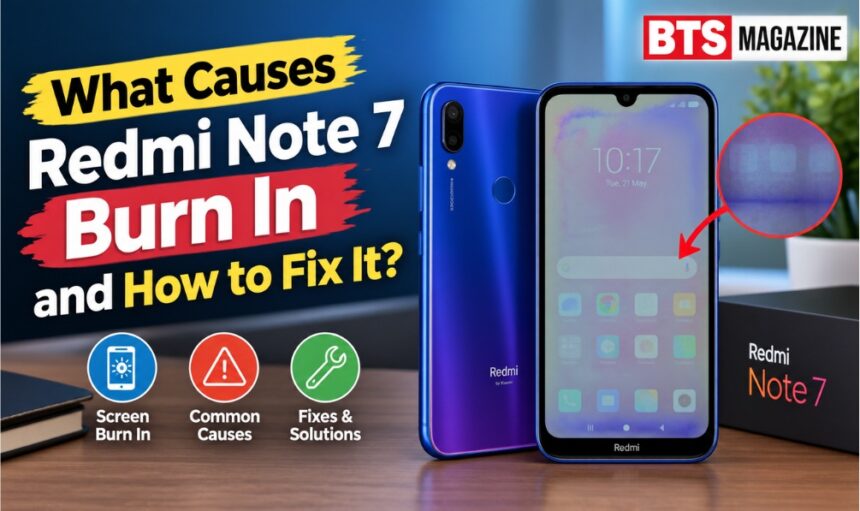
If you notice faint icons, keyboard outlines, status-bar marks, or other images staying visible on your Redmi Note 7 screen after you switch apps, you may wonder whether the display is damaged. This problem is often described as Redmi Note 7 burn in, although it can sometimes be temporary image retention rather than permanent burn-in.
- What Is Redmi Note 7 Burn In?
- Why Does Redmi Note 7 Burn In Happen?
- 1. Static Images on the Screen
- 2. High Brightness
- 3. Long Screen-On Time
- 4. Heat
- 5. Aging Display Hardware
- 6. Previous Screen Replacement
- Why Is Redmi Note 7 Burn In Important?
- How to Check for Screen Burn In
- Step 1: Display a Plain Background
- Step 2: Change the Background
- Step 3: Restart the Phone
- Step 4: Take a Screenshot
- How to Fix Redmi Note 7 Burn In
- 1. Turn Down Screen Brightness
- 2. Give the Screen a Break
- 3. Avoid Long Static Content
- 4. Use Automatic Screen Timeout
- 5. Keep the Phone Cool
- 6. Restart the Phone
- 7. Check for Software Updates
- What Not to Do
- When Should You Replace the Screen?
- Key Benefits of Preventing Screen Damage
- FAQs About Redmi Note 7 Burn In
- Can Redmi Note 7 get screen burn-in?
- Is Redmi Note 7 burn in permanent?
- How do I remove burn-in from Redmi Note 7?
- Does high brightness cause screen burn-in?
- Can a software update fix screen burn in?
- Should I use a burn in fixing app?
- How can I prevent Redmi Note 7 screen problems?
- Conclusion
Understanding the difference matters because the right solution depends on what is actually happening. In this guide, we explain what causes screen burn-in, how to identify it, what you can try at home, and when professional repair may be necessary.
What Is Redmi Note 7 Burn In?
Redmi Note 7 burn-in refers to a persistent ghost-like image that remains visible on the display even after the original content has disappeared. It can happen when certain screen elements remain in the same position for long periods.
However, there is an important point: the Redmi Note 7 uses an IPS LCD display, not an OLED panel. Traditional OLED burn-in is caused by uneven aging of individual pixels. On an LCD phone, a similar-looking problem may instead be image retention, display damage, or another screen issue.
For general background, you can also read about image retention see Wikipedia’s information on display technology.
Burn-In vs. Image Retention
These terms are often used interchangeably, but they are not exactly the same.
- Image retention: A temporary ghost image that may disappear after some time.
- Permanent burn-in: A lasting change in display appearance.
- Dead pixels: Individual pixels that remain black or show an incorrect color.
- Screen damage: Physical or internal damage that can produce lines, spots, flickering, or discoloration.
Knowing which problem you have can prevent you from replacing the display unnecessarily.
Why Does Redmi Note 7 Burn In Happen?
Several factors can contribute to a ghost image or display retention problem.
1. Static Images on the Screen
Keeping the same image in one place for many hours can contribute to image retention. Navigation bars, app interfaces, and other fixed elements may be particularly noticeable.
2. High Brightness
Using maximum brightness for long periods can put additional stress on a display. If you regularly use the phone outdoors at maximum brightness, reducing the brightness when possible may help minimize display stress.
3. Long Screen-On Time
A phone that stays active for many hours every day may experience more display wear than one used for shorter periods.
4. Heat
Excessive heat can affect electronic components, including display hardware. Gaming, charging, direct sunlight, or heavy applications can make the phone unusually warm.
5. Aging Display Hardware
The Redmi Note 7 is an older smartphone, so its display has already experienced years of use on many devices. Age-related hardware problems can sometimes look similar to burn-in.
6. Previous Screen Replacement
If the phone has had a replacement display, the quality and condition of that panel can affect how the screen behaves. An aftermarket display may not perform exactly like the original panel.
Why Is Redmi Note 7 Burn In Important?
A faint image that disappears after a few minutes is usually less concerning than a mark that remains visible all the time.
Identifying the problem early is useful because simple changes, such as reducing brightness and avoiding prolonged static content, may help with temporary retention.
On the other hand, persistent discoloration, lines, flickering, or a ghost image that does not improve may indicate a hardware problem.
This is especially important if the issue appeared after the phone was dropped, exposed to liquid, or subjected to significant heat.
How to Check for Screen Burn In
Before trying complicated fixes, perform a simple test.
Step 1: Display a Plain Background
Open a full-screen image with a solid color, such as white, gray, red, green, or blue.
Look closely for:
- Faint icons
- Keyboard outlines
- Status-bar shapes
- Navigation-button marks
- Uneven patches
- Lines or discoloration
Step 2: Change the Background
Switch between several solid colors. A retained image may become easier to see against certain colors.
Step 3: Restart the Phone
Restart your Redmi Note 7 and check the screen again.
If the image becomes weaker after restarting or after some time, it may be temporary image retention rather than permanent damage.
Step 4: Take a Screenshot
Take a screenshot while the problem is visible.
Then view that screenshot on another device.
If the mark does not appear in the screenshot, the problem is likely with the physical display rather than the software rendering the image.
How to Fix Redmi Note 7 Burn In
There is no guaranteed software repair for genuine physical display damage. However, several steps can help when the issue is temporary retention or related to usage.
1. Turn Down Screen Brightness
Reduce brightness to a comfortable level instead of keeping it at maximum.
This is particularly useful if you spend long periods reading, browsing, or gaming.
2. Give the Screen a Break
Turn the display off for a while and let the phone cool down.
If the ghost image is temporary, leaving the screen inactive may allow it to fade.
3. Avoid Long Static Content
Try not to leave the same app, image, or interface displayed for hours.
This is especially useful for applications containing fixed menus or controls.
4. Use Automatic Screen Timeout
Set a shorter screen timeout so the display turns off when you are not actively using the phone.
For example, a 30-second or 1-minute timeout can reduce unnecessary screen-on time.
5. Keep the Phone Cool
Avoid heavy gaming while charging if the phone becomes very hot.
Also keep it away from direct sunlight and other sources of excessive heat.
6. Restart the Phone
A restart is simple but useful for ruling out temporary software or display-rendering problems.
If the issue disappears after restarting, the problem may not be permanent burn-in.
7. Check for Software Updates
Make sure the phone is running an available official software update.
While an update cannot repair physically damaged display pixels, keeping system software current can help rule out certain software-related display problems.
What Not to Do
Some online suggestions can potentially make the situation worse.
Avoid:
- Pressing hard on the display
- Heating the screen intentionally
- Using aggressive screen-fixing applications
- Exposing the phone to extreme temperatures
- Disassembling the phone without experience
- Repeatedly running extreme brightness tests
If the display has physical damage, these methods are unlikely to repair it and could create additional problems.
When Should You Replace the Screen?
If the ghost image remains after extended screen-off periods and appears consistently across different backgrounds, the display may have a hardware fault.
Professional inspection is particularly sensible if you also notice:
- Permanent lines
- Flickering
- Black spots
- Unusual colors
- Touch problems
- Cracks
- A display that is separating from the frame
A repair technician can determine whether the problem is the LCD panel, display connection, or another component.
Key Benefits of Preventing Screen Damage
Taking care of your Redmi Note 7 display can help you:
- Reduce unnecessary screen wear
- Minimize prolonged static images
- Control device temperature
- Improve everyday display longevity
- Avoid unnecessary repair costs
- Identify genuine hardware problems earlier
Prevention is usually easier and cheaper than replacing a damaged display.
FAQs About Redmi Note 7 Burn In
Can Redmi Note 7 get screen burn-in?
The Redmi Note 7 uses an IPS LCD display, so it does not experience traditional OLED burn-in in the same way as OLED phones. However, users can experience image retention, display aging, or hardware problems that look similar to burn-in.
Is Redmi Note 7 burn in permanent?
Not always. If the visible mark is temporary image retention, it may fade after the screen is turned off for some time. A persistent mark that never disappears may indicate permanent display damage.
How do I remove burn-in from Redmi Note 7?
Start by turning the screen off, lowering brightness, keeping the phone cool, and avoiding static content. If the mark remains consistently, professional display inspection may be necessary.
Does high brightness cause screen burn-in?
Long-term use at maximum brightness can increase display stress and heat. Using a comfortable brightness level and allowing the phone to cool can help reduce unnecessary display wear.
Can a software update fix screen burn in?
A software update cannot normally repair physical display damage. However, updating the phone can help rule out certain software-related display problems.
Should I use a burn in fixing app?
Be cautious. Such apps cannot repair physically damaged display hardware. If you use one, avoid applications that require extreme brightness or prolonged screen activity.
How can I prevent Redmi Note 7 screen problems?
Use moderate brightness, avoid displaying static content for very long periods, enable automatic screen timeout, keep the phone cool, and avoid physical pressure or impact on the display.
Conclusion
Redmi Note 7 burn in can describe several different display problems, and not every ghost image is genuine permanent burn-in. Because the Redmi Note 7 uses an IPS LCD panel, temporary image retention or hardware-related display issues should also be considered.
Start with simple steps: lower the brightness, turn the screen off, restart the phone, avoid prolonged static images, and check whether the mark changes over time. If it remains permanent or appears alongside flickering, lines, spots, or touch problems, a professional inspection is the safer next step.
Read also: iFixit Tri-Point Y1 Screwdriver: Uses, Features & Tips