ics file is one of the easiest ways to share calendar events between different devices and apps. Whether you receive a meeting invitation by email, download an event schedule, or want to import holidays into your calendar, there’s a good chance you’ll come across an ICS file.
Here’s the thing: many people use these files without knowing what they actually are. The good news is that they’re simple to understand, and once you know how they work, you’ll be able to manage events more efficiently across different calendar platforms.
In this guide, you’ll learn what an ICS file is, how it works, how to open it, edit it, create one, and solve common issues.
What Is an ICS File?
An ICS file is a calendar file saved using the iCalendar format. It stores calendar information such as:
- Event title
- Date and time
- Location
- Description
- Organizer details
- Reminders
- Time zone information
The .ics extension makes it possible to transfer calendar events between different applications without losing important event details.
What Does ICS Stand For?
ICS comes from the iCalendar file format specification.
Although people often call it an “ICS file,” the official format is known as iCalendar, an open standard designed for exchanging calendar information between different systems.
What’s interesting is that almost every major calendar application supports this format.
Why Is an ICS File Used?
The main purpose of an ICS file is to make sharing events simple.
Instead of manually typing meeting details, one small file can automatically add everything to your calendar.
People commonly use ICS files for:
- Business meetings
- Conference schedules
- Online webinars
- School events
- Public holidays
- Sports fixtures
- Flight itineraries
- Appointment bookings
How Does an ICS File Work?
When someone creates a calendar event, the information is stored inside the ICS file using plain text formatting.
When another person opens that file, their calendar application reads the information and creates the event automatically.
This process helps avoid mistakes like entering the wrong date or time.
Information Stored Inside an ICS File
An ICS file may include several types of information:
Event Name
The title that appears in your calendar.
Event Time
Starting and ending dates with exact times.
Event Location
A physical address or an online meeting link.
Event Description
Extra notes about the event.
Organizer Information
Details about the person or organization hosting the event.
Reminder Settings
Notifications before the event begins.
Time Zone
Ensures the event appears correctly for users in different countries.
Which Apps Can Open an ICS File?
One of the biggest advantages of an ICS file is wide compatibility.
Popular applications include:
- Google Calendar
- Apple Calendar
- Microsoft Outlook
- Mozilla Thunderbird
- Yahoo Calendar
- Samsung Calendar
Because the format is standardized, switching between platforms is usually straightforward.
How to Open an ICS File
Opening an ICS file depends on your device.
On Windows
Simply double-click the file.
If Outlook or another calendar application is installed, it will usually open automatically.
On Mac
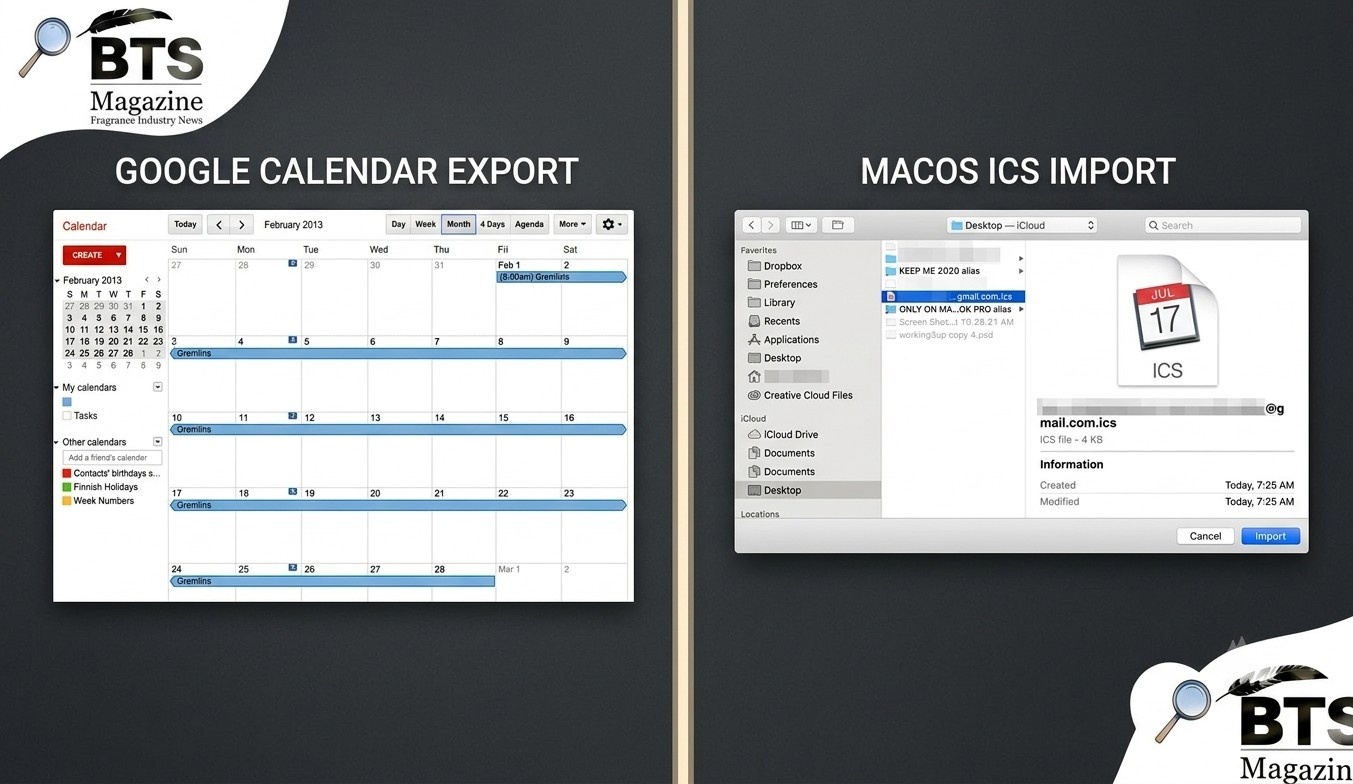
Apple Calendar normally opens ICS files by default.
The event can then be added directly to your calendar.
On Android
Most Android devices allow ICS files to be opened through Google Calendar or another compatible calendar app.
On iPhone
Tap the file from Mail, Messages, or Safari.
Apple Calendar will recognize the event and offer to import it.
How to Import an ICS File into Google Calendar
Many people receive downloadable calendar files and want them inside Google Calendar.
The process is simple.
- Open Google Calendar.
- Click the Settings icon.
- Choose Import & Export.
- Select the ICS file.
- Choose the destination calendar.
- Click Import.
Your events should appear almost instantly.
How to Create an ICS File
You don’t always have to receive one from someone else.
Many calendar programs allow you to create an event and export it as an ICS file.
For example:
- Microsoft Outlook
- Apple Calendar
- Thunderbird Calendar
Some online scheduling tools also generate ICS files automatically whenever someone books an appointment.
Can You Edit an ICS File?
Yes.
Since an ICS file is basically a text file, it can technically be edited using any text editor.
To be honest, editing it manually isn’t recommended unless you’re familiar with the iCalendar format.
A better option is editing the event inside a calendar application and exporting a new ICS file afterward.
Common Uses of ICS Files
ICS files appear in many everyday situations.
Some common examples include:
Business Meetings
Companies send meeting invitations as ICS attachments.
Wedding Invitations
Guests can save the wedding date directly to their calendars.
School Schedules
Educational institutions share academic calendars.
Sports Events
Teams publish season schedules using calendar files.
Travel Plans
Airlines sometimes include ICS files with booking confirmations.
Medical Appointments
Healthcare providers often send appointment reminders in calendar format.
Advantages of Using an ICS File
There are several reasons why this format remains popular.
Works Across Different Platforms
Windows, macOS, Android, and iPhone all support it.
Saves Time
No need to type event information manually.
Reduces Errors
Automatic importing helps prevent date and time mistakes.
Easy to Share
Email attachments are usually only a few kilobytes.
Standard Format
The iCalendar standard has been around for years and continues to be widely supported.
Common Problems With ICS Files
Although they’re reliable, problems occasionally happen.
File Won’t Open
The device may not have a compatible calendar application installed.
Wrong Time Zone
If the sender used an incorrect time zone, event times may appear differently.
Duplicate Events
Importing the same file multiple times can create duplicate calendar entries.
Corrupted File
A damaged download may prevent the event from loading properly.
Is an ICS File Safe?
Generally, yes.
An ICS file usually contains only calendar information.
Still, it’s always smart to download files from trusted websites or people you know.
Like any email attachment, avoid opening unexpected files from unknown senders.
ICS File vs CSV File
People sometimes confuse these formats.
| Feature | ICS File | CSV File |
|---|---|---|
| Calendar Support | Yes | Limited |
| Event Details | Full | Basic |
| Reminders | Yes | No |
| Time Zones | Yes | Usually No |
| Calendar Sharing | Excellent | Poor |
An ICS file is specifically designed for calendars, while CSV files mainly store spreadsheet-style data.
Tips for Managing ICS Files
Keeping calendar files organized makes life easier.
Some helpful practices include:
- Save important event files in one folder.
- Delete duplicate downloads.
- Verify time zones before importing.
- Keep calendar apps updated.
- Backup important calendars regularly.
These small habits can prevent confusion later.
Future of the ICS File Format
Even with cloud-based scheduling becoming more common, the ICS file continues to be important.
Many booking systems, event platforms, and email services still rely on it because it’s simple, lightweight, and works across nearly every major calendar application.
As long as people continue sharing events between different systems, the ICS format will likely remain a standard choice.
Frequently Asked Questions
What is an ICS file used for?
An ICS file is used to share calendar events, appointments, meetings, and schedules between different calendar applications.
Can I open an ICS file without Outlook?
Yes. Google Calendar, Apple Calendar, Thunderbird, and many other calendar apps can open ICS files.
Can I edit an ICS file?
Yes. You can edit it inside most calendar applications or manually using a text editor if you understand the iCalendar format.
Are ICS files free to use?
Yes. The iCalendar format is an open standard, and creating or sharing ICS files does not require paying licensing fees.
Is an ICS file compatible with Google Calendar?
Yes. Google Calendar fully supports importing and exporting ICS files.
Final Thoughts
The ICS file may seem like a small file, but it plays a big role in keeping calendars organized across different devices and applications. Whether you’re scheduling business meetings, planning family events, or sharing conference dates, this format makes the process fast and reliable.
What’s interesting is that despite the growth of cloud calendars, the ICS format continues to be supported by almost every major platform because of its simplicity and compatibility. If you’d like to learn more about the technology behind calendar standards, the Wikipedia article on iCalendar is a helpful place to start: https://en.wikipedia.org/wiki/
Continue reading: Ilia Topuria Next Fight: Latest Updates, Opponent Rumors, and What Fans Should Expect