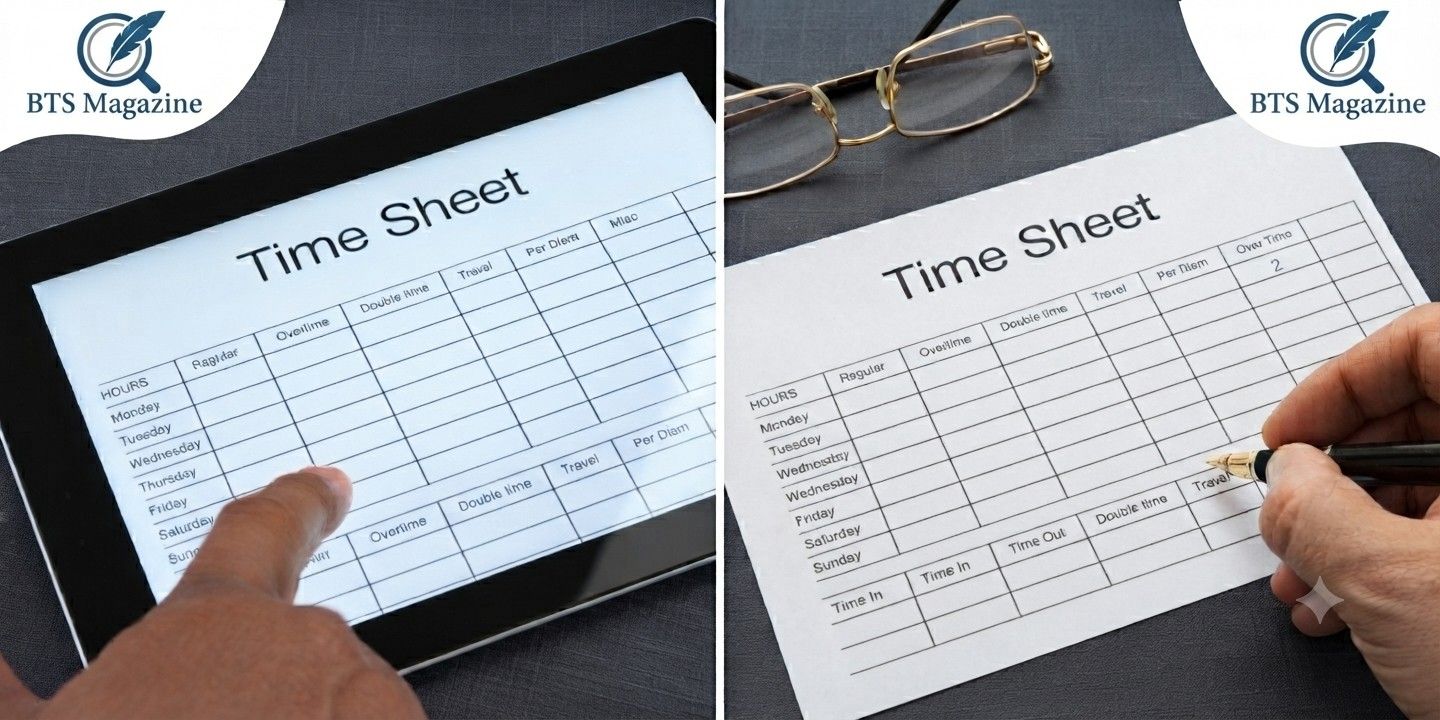
What is a timesheet? It’s one of the most common questions people ask when they start a new job, begin freelancing, or manage a team. A timesheet is simply a record of the hours someone spends working. It helps employees, freelancers, employers, and businesses keep track of work time accurately.
Here’s the thing: timesheets are not just about counting hours. They help with payroll, project management, productivity, and even legal compliance in many workplaces. Whether you work remotely, in an office, or run your own business, understanding how timesheets work can make your work life much easier.
What Is a Timesheet?
A timesheet is a document or digital record used to log the amount of time a person spends working. It usually includes:
- Employee name
- Date
- Start time
- End time
- Breaks
- Total hours worked
- Tasks or projects completed
Businesses use timesheets to calculate wages, monitor project progress, and understand how work hours are being spent.
The Main Purpose of a Timesheet
The biggest purpose of a timesheet is simple: keeping an accurate record of work hours.
It also helps organizations:
- Pay employees correctly
- Bill clients accurately
- Track project costs
- Measure productivity
- Manage overtime
- Stay compliant with labor laws
To be honest, without a proper timesheet system, many businesses would struggle to manage payroll efficiently.
A Brief History of Timesheets
The idea of recording work hours has existed for centuries.
Factories during the Industrial Revolution often used handwritten attendance books. Workers would manually sign in and out each day.
As technology improved, businesses introduced punch cards, mechanical time clocks, and eventually digital software.
Today, cloud-based time tracking systems automatically record work hours from computers, mobile apps, or biometric devices.
Why Are Timesheets Important?
What’s interesting is that timesheets benefit both employees and employers.
For employees, they ensure every worked hour gets recorded.
For employers, they provide valuable information about labor costs and project performance.
Some key benefits include:
- Accurate payroll
- Better budgeting
- Improved scheduling
- Easier tax reporting
- Clear work records
Different Types of Timesheets
Not every workplace uses the same format.
Daily Timesheet
Employees record their work every day.
This method provides the most accurate information because people enter their hours immediately after completing work.
Weekly Timesheet
Weekly timesheets are one of the most popular options.
Employees submit their hours at the end of each workweek.
Biweekly Timesheet
Many companies that pay employees every two weeks prefer biweekly timesheets.
This matches their payroll schedule perfectly.
Monthly Timesheet
Monthly timesheets are often used for salaried employees or long-term projects.
Although less frequent, they still provide a useful overview of work hours.
Paper vs Digital Timesheets
Years ago, paper timesheets were everywhere.
Employees filled out forms by hand, and managers approved them before payroll processing.
Today, digital timesheets have become the standard.
Digital systems can:
- Calculate hours automatically
- Reduce human error
- Store records securely
- Generate reports instantly
- Integrate with payroll software
Many companies now prefer online time tracking because it’s faster and easier to manage.
What Information Is Included in a Timesheet?
A typical timesheet usually contains:
| Information | Purpose |
|---|---|
| Employee name | Identifies the worker |
| Date | Records the workday |
| Start time | Beginning of work |
| End time | Finishing time |
| Break duration | Lunch or rest periods |
| Total hours | Payroll calculations |
| Project name | Client or task tracking |
| Manager approval | Verification |
The exact layout may vary depending on the company.
How Does a Timesheet Work?
The process is usually very simple.
Step 1: Record Time
Employees note when they begin working.
Step 2: Log Breaks
Lunch breaks or unpaid breaks are entered.
Step 3: Record Finish Time
At the end of the day, employees enter their finishing time.
Step 4: Calculate Total Hours
The system—or the employee—calculates total working hours after subtracting breaks.
Step 5: Submit for Approval
Managers review and approve the timesheet before payroll is processed.
Who Uses Timesheets?
Almost every industry uses some form of time tracking.
Examples include:
- Construction companies
- Healthcare organizations
- IT companies
- Marketing agencies
- Government departments
- Schools
- Manufacturing businesses
- Freelancers
- Consultants
- Law firms
Even small businesses benefit from using timesheets.
Benefits of Using Timesheets
There are many advantages beyond payroll.
Better Productivity
Managers can identify where time is spent and improve workflows.
Accurate Client Billing
Freelancers and agencies often bill clients based on recorded hours.
Without proper timesheets, invoices may be inaccurate.
Easier Payroll
Payroll departments rely on accurate work-hour records.
Timesheets reduce payment mistakes.
Improved Project Management
Project managers can compare estimated hours with actual hours worked.
This helps improve future planning.
Legal Protection
Many countries require employers to maintain work-hour records.
Accurate timesheets help businesses comply with labor regulations.
Common Mistakes People Make
Even simple timesheets can contain errors.
Some common mistakes include:
- Forgetting to record hours
- Incorrect break times
- Entering estimated hours
- Recording the wrong project
- Missing overtime
Regular reviews help prevent these issues.
Tips for Filling Out a Timesheet Correctly
If you’re new to time tracking, these tips can help.
- Record time immediately.
- Don’t wait until the end of the week.
- Double-check totals.
- Be honest about work hours.
- Include breaks correctly.
- Review before submitting.
Small habits make a big difference over time.
Timesheets for Freelancers
Freelancers often work with multiple clients at once.
A timesheet helps them:
- Track billable hours
- Create accurate invoices
- Measure profitability
- Understand workload
- Plan future projects
Many freelance platforms even include built-in time tracking tools.
Timesheets in Remote Work
Remote work has made digital timesheets even more valuable.
Employees working from home can log hours using mobile apps or web dashboards.
Managers can monitor project progress without needing employees to be physically present.
Here’s the thing: remote work depends heavily on trust, and accurate timesheets help build that trust.
Timesheet Software
Modern businesses often replace paper forms with software.
Popular features include:
- Automatic timers
- Mobile access
- GPS tracking (where appropriate)
- Payroll integration
- Project tracking
- Reporting dashboards
The best software depends on the size and needs of each business.
Challenges of Using Timesheets
Although useful, timesheets aren’t perfect.
Some employees forget to submit them.
Others may accidentally enter incorrect information.
Managers also need time to review approvals.
Digital automation has reduced many of these problems, but human accuracy still matters.
Best Practices for Businesses
Businesses can improve their timesheet process by:
- Using simple templates
- Providing employee training
- Reviewing submissions regularly
- Setting submission deadlines
- Using automated reminders
- Integrating payroll software
A clear process saves time for everyone.
Frequently Asked Questions
What is a timesheet used for?
A timesheet records the hours an employee or freelancer spends working. Businesses use it for payroll, billing, and project management.
Is a timesheet legally required?
Requirements vary by country and employment laws. Many employers are required to maintain accurate records of employee work hours.
Are digital timesheets better than paper ones?
For most businesses, yes. Digital timesheets reduce errors, save time, and make reporting much easier.
Can freelancers use timesheets?
Absolutely. Freelancers often use timesheets to track billable hours and create accurate invoices for clients.
What is the difference between a timesheet and time tracking software?
A timesheet is the record itself, while time tracking software is the tool that creates, stores, and manages those records.
Final Thoughts
Understanding what is a timesheet is useful whether you’re an employee, freelancer, manager, or business owner. A timesheet is much more than a list of hours worked. It supports accurate payroll, helps businesses control costs, improves project planning, and creates a reliable record of work completed. As workplaces continue to become more digital and flexible, timesheets remain an important part of managing time effectively. If you’d like to learn more about the broader concept of working time, Wikipedia provides a helpful overview here: https://en.wikipedia.org/wiki/
Continue reading: Zoho Inventory: A Complete Guide to Smarter Inventory Management for Growing Businesses