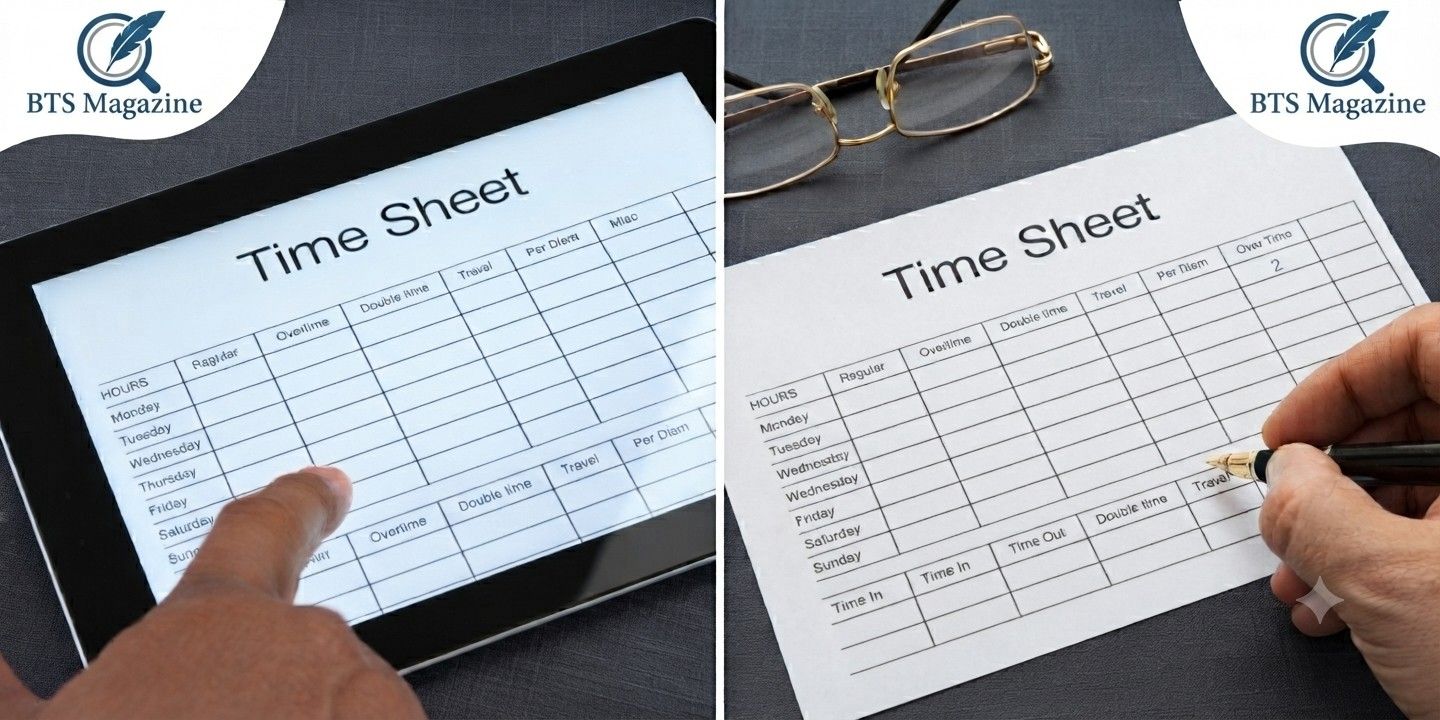
What is a timesheet? At its core, it’s a simple record of the hours someone works. That’s it. Whether you jot it down on paper or tap it into an app, a timesheet tracks how much time you spend on a job, a task, or a project.
Here’s the thing though. That simple little record does a lot of heavy lifting behind the scenes. It shapes how people get paid, how businesses bill clients, and how teams plan their work.
Let’s break it all down in plain English.
The Basic Idea Behind a Timesheet
A timesheet answers one main question: how long did the work take?
You log your start time, your end time, and maybe a note about what you did. Add that up over a week or a month, and you’ve got a clear picture of your work hours.
To be honest, it sounds almost too basic. But this small habit keeps entire companies running smoothly.
What Goes on a Typical Timesheet
Most timesheets include a few common details:
- Employee name or ID
- Date worked
- Start and end times
- Total hours for the day
- Breaks or lunch periods
- Project or task names
Some add extra columns for overtime, sick days, or vacation. It really depends on the workplace.
A Quick Look at the History of Timesheets
Timesheets aren’t new. Factories in the 1800s used punch clocks, where workers stamped a card to mark when they clocked in and out.
Those cards were the early cousins of the modern timesheet. Fast forward, and paper sheets took over office life for decades.
What’s interesting is how little the core idea has changed. We still track work hours. We just use better tools now.
How Does a Timesheet Actually Work?
The process is pretty straightforward. A worker records their hours, a manager checks them, and the numbers get sent off for payroll or billing.
That’s the short version. Let’s look a little closer.
Step One: Recording the Hours
You note when you start and when you stop. Simple. Some people log this in real time, while others fill it in at the end of the day.
Step Two: Reviewing and Approving
A supervisor usually looks over the hours to make sure everything adds up. This catches mistakes before they cause payment problems.
Step Three: Processing the Data
Once approved, those hours feed into payroll systems or client invoices. This is where a timesheet turns into real money.
Different Types of Timesheets
Not all timesheets look the same. The format depends on what a business needs.
Paper Timesheets
The old-school option. You fill in a printed grid by hand. Cheap and simple, but easy to lose or fudge.
Spreadsheet Timesheets
Think Excel or Google Sheets. These calculate totals automatically, which saves time and cuts down on math errors.
Digital and App-Based Timesheets
This is where most companies are heading. Apps let you clock in from your phone, track breaks, and sync data instantly.
Many of these tools double as time tracking software, which we’ll get to in a bit.
Why Timesheets Matter for Payroll
Here’s where things get real. Payroll depends on accurate hours.
If your timesheet says 40 hours, that’s what you get paid for. Mess up the numbers, and someone ends up over or underpaid.
So when people ask what is a timesheet used for, payroll is usually the first answer. It’s the bridge between your work and your paycheck.
Handling Overtime and Extra Pay
Timesheets also flag overtime. When employee hours go past the normal limit, the sheet shows it clearly. That helps businesses pay the right rates and stay legal.
Why Timesheets Matter for Billing
Now let’s talk about client work. Lawyers, agencies, consultants, freelancers, they all bill by the hour.
A timesheet proves exactly how much time went into a project. No guessing, no disputes. Just clear records that back up every invoice.
What is a timesheet worth to a freelancer? Honestly, it might be the difference between getting paid fairly and losing money on a job.
Timesheets and Project Management
Beyond pay, timesheets help teams plan better.
When you see how long tasks actually take, you can estimate future projects more accurately. That’s gold for project management.
Managers use this data to spot bottlenecks, balance workloads, and set realistic deadlines. It turns gut feelings into hard numbers.
Tracking Progress on Projects
Say a project was supposed to take 100 hours. If timesheets show you’re already at 90 with lots left to do, that’s an early warning sign.
You can adjust before the budget blows up.
Time Tracking Software: The Modern Upgrade
Paper is fading fast. These days, time tracking software runs the show for most teams.
These tools let workers log hours with a click. They calculate totals, generate reports, and connect straight to payroll or invoicing systems.
Some popular features include:
- Automatic time capture
- Mobile clock-in and clock-out
- Overtime alerts
- Project-based tracking
- Reports for managers
What’s interesting is how much time these tools save. No more chasing down missing sheets at the end of the month.
Attendance Tracking Built In
Many of these platforms also handle attendance tracking. They show who’s in, who’s out, and who’s running late.
That mix of features makes a timesheet way more useful than the old paper version ever was.
Common Uses for a Timesheet
Timesheets pop up in more places than you’d think. Here are a few common ones:
- Hourly employees logging shifts
- Freelancers billing clients by the hour
- Agencies tracking work across multiple projects
- Remote teams proving productive hours
- Contractors recording job-site time
Each group uses the same basic idea. They just apply it to their own needs.
The Real Benefits of Using a Timesheet
Let’s sum up why timesheets are worth the effort.
Accurate Pay
No more guessing at hours. Everyone gets paid for exactly what they worked.
Fair Client Billing
Clients see clear records, which builds trust and cuts down on arguments.
Better Planning
Real data on work hours helps you plan smarter and avoid burnout.
Legal Protection
Solid records protect businesses if a pay dispute ever comes up. That paper trail matters.
Tips for Getting Timesheets Right
A timesheet only works if people actually use it well. A few quick tips:
- Log hours daily, not weekly. Memory fades fast.
- Be honest with your times. Rounded guesses add up.
- Use software if you can. It cuts down on errors.
- Review before submitting. Catch mistakes early.
Small habits like these keep your records clean and stress-free.
Are Timesheets Really Necessary?
Some folks see timesheets as a hassle. And yeah, filling them out isn’t fun.
But think about the alternative. Without records, pay gets messy, billing turns into a fight, and planning becomes pure guesswork.
So even though nobody loves them, timesheets earn their place.
Wrapping It All Up
So, what is a timesheet in the end? It’s a simple tool that tracks time and keeps work fair for everyone involved.
From payroll to billing to smarter project management, a good timesheet quietly holds a lot together. And with modern time tracking software, keeping one has never been easier.
If you want to dig deeper into the topic, this Wikipedia page on timesheets is a solid place to start. It covers the history and different formats in more detail, which is handy if you’re setting up a system for your own team.
Continue reading: Malik Beasley Contract History: Every Deal He’s Signed in the NBA